

Kısa cevap: "The uploaded file is too large for the server to process." mesajının XenForo'nun ek dosya ayarlarıyla ilgisi yoktur; mesaj PHP'nin yükleme sınırlarını bildirir. Dosya sunucuya ulaştığında PHP, upload_max_filesize değerinden büyük dosyayı XenForo görmeden reddeder ve UPLOAD_ERR_INI_SIZE hata kodunu iletir; XenForo bu kodu yukarıdaki mesaja çevirir. XenForo ekibi de xenforo.com'daki yanıtlarında durumu böyle açıklıyor. XenForo 2.3 aynı kontrolü tarayıcıda da yapar: Her sayfa, upload_max_filesize ile post_max_size değerlerinden küçük olanı taşır ve bundan büyük bir dosya hiç gönderilmeden aynı mesajla durdurulur. Türkçe arayüzlerde mesaj, dil paketine göre "Yüklenen dosya sunucunun işleyebileceğinden çok büyük" gibi bir çeviriyle görünür. İki durumda da çözüm, upload_max_filesize ve post_max_size değerlerini sitenin gerçekten kullandığı PHP yapılandırmasında yükseltmektir. Dikkat: Sitenin kullandığı yapılandırma dosyası, sizin düzenlediğiniz dosya olmayabilir.
Asıl zorluk, büyük bir yüklemenin her seferinde aynı mesajla başarısız olmamasıdır. Birbirine benzeyen belirtiler sunucu yığınının (stack) farklı katmanlarından gelir ve her biri başka bir ayara işaret eder. Bu rehberde önce her mesajı kaynağıyla eşleştiriyor, sonra gerçek değerleri tespit edip değişikliği doğru katmanda yapıyoruz. Nginx, Apache ve LiteSpeed yönergelerinin ayrıntısı için tüm sınır katmanlarını anlatan konumuza bakabilirsiniz; burada XenForo'ya özgü teşhise odaklanıyoruz.
Hangi mesaj hangi katmandan geliyor?
Tablodaki mesajlar XenForo'nun İngilizce ana metinleridir (master phrase); sizin dil paketinizdeki çeviri farklı olabilir.| Mesaj veya belirti | Üreten katman | Asıl neden | İlk bakılacak yer |
|---|---|---|---|
| The uploaded file is too large for the server to process. | PHP sınırları, XenForo iletir (2.3 bu sınırları tarayıcıda da denetler) | Dosya upload_max_filesize değerini aştı (UPLOAD_ERR_INI_SIZE); 2.3'ün tarayıcı denetimi upload_max_filesize ile post_max_size değerlerinden küçük olanı kullanır | phpinfo çıktısında iki değerin Local Value sütunu |
| The uploaded file is too large. | XenForo | Ek dosya boyutu seçeneği (KB, varsayılan 1024); resimlerde boyut küçültmeden sonra ölçülür | Setup > Options > Attachments |
| The file is too large to be uploaded. | XenForo 2.3, tarayıcıda | Video veya ses dosyası, video/ses boyut seçeneğinden büyük | Setup > Options > Attachments |
| The uploaded image is too big. | XenForo | Resim azami boyutları aşıyor ve piksel sayısı, sunucunun küçültebileceği sınırın üstünde (varsayılan sınır 2.3 öncesinde 20.000.000, 2.3'ten itibaren 48.000.000 piksel) | Azami resim boyutları seçeneği ve src/config.php |
| Security error occurred. Please press back, refresh the page, and try again. (büyük bir yüklemeden hemen sonra) | XenForo'nun CSRF denetimi | İstek post_max_size değerini aştı; PHP $_POST ve $_FILES dizilerini boş bıraktı, _xfToken da onlarla birlikte kayboldu. 2.3'te tarayıcı denetimi bu dosyaları genellikle önceden durdurur | post_max_size ve PHP hata günlüğü (error log) |
| Oops! We ran into some problems. (ya da nedeni belirtilmeden başarısız olan yükleme) ve yükleme isteğine 413 yanıtı | Nginx (client_max_body_size), Apache (LimitRequestBody), LiteSpeed istek gövdesi sınırı, ModSecurity veya Imunify360 (SecRequestBodyLimit) ya da Cloudflare | İstek PHP'ye ulaşmadan bir istek gövdesi (request body) sınırına takıldı; 2.3'te bu, o sınırın PHP sınırından düşük olduğunu gösterir | Geliştirici araçlarında Network sekmesi ve web sunucusu günlükleri |
| Yükleme tamamlanıyor ama küçük resim (thumbnail) oluşmuyor | XenForo resim işleme (GD veya Imagick) | Piksel sınırı ya da memory_limit | Logs > Server error log ve memory_limit |
XenForo satırları sizin bilerek koyduğunuz sınırlardır ve kullanıcıya en anlaşılır mesajları verir; diğerleri altyapının araya girdiği durumlardır. Mesaj başına ek sayısı sınırı ise ayrı bir ayardır, onu "en fazla 10 dosya ekleyebilirsiniz" konusunda anlattık.
Mesajın metnini kendi kurulumunuzda doğrulamak için hatayı bir test kurulumunda (staging) tekrarlayın, sonra yönetim panelinde Appearance > Languages & phrases > Phrases ekranını açın. İfade (phrase) adları çoğunlukla içerikten türetildiği için filtre kutusuna too_large gibi birkaç kelime yazmak yeterlidir; bir ifadeyi açtığınızda dilinizdeki çeviriyle İngilizce ana metni (Master value) birlikte görürsünüz. Kullanıcının ekran görüntüsündeki Türkçe cümleyi tablodaki karşılığıyla böyle eşleştirirsiniz.
1. Adım: Eşiği bilinen boyutta dosyalarla bulun
"Büyük dosyalar yüklenmiyor" şikâyeti teşhis için yetmez; yüklemenin hangi boyuttan itibaren başarısız olduğunu bilmeniz gerekir. Boyutu kesin olarak bilinen test dosyaları üretin, önce 5, 10, 20, 50 MB gibi kaba adımlarla deneyin, sonra yüklenen son boyutla hata veren ilk boyutun arasını ikiye bölerek eşiği daraltın:
Bash:
# macOS: m son eki 1.048.576 bayt demektir
mkfile 30m test-30m.zip

# Linux
dd if=/dev/zero of=test-30m.zip bs=1M count=30
Kod:
fsutil file createnew test-30m.zip 31457280Dosya uzantısının izin verilen listede olmasına dikkat edin; zip ve txt XenForo'nun varsayılan listesinde yer alır. Aksi hâlde uzantı hatası alırsınız ve boyut testi bir şey söylemez. Eşiği bulunca bilinen bir varsayılana denk gelip gelmediğine bakın:
| Hatanın başladığı boyut | Şüphelenilecek katman |
|---|---|
| Yaklaşık 1 MB | Mesaj "The uploaded file is too large." ise XenForo'nun varsayılan ek sınırı (1024 KB); istek 413 alıyorsa Nginx client_max_body_size varsayılanı (1m) |
| 2 MB | PHP upload_max_filesize varsayılanı (2M) |
| 8 MB | PHP post_max_size varsayılanı (8M) |
| Yaklaşık 12,5 MB | ModSecurity'nin önerilen yapılandırmasındaki SecRequestBodyLimit (13107200 bayt) |
| 100 MB | Cloudflare Free ve Pro planlarında istek başına sınır |
| 200 MB | Cloudflare Business planı |
| 1 GB | Apache 2.4.54 ve sonrasında LimitRequestBody varsayılanı (2.4.53 ve öncesinde sınır yoktu) |
Bunlar yazılımların kendi varsayılanlarıdır; hosting panelleri ve dağıtımlar çoğunu değiştirir. Tablo bir ipucudur, kanıtı 5. adımdaki günlükler verir.
2. Adım: Web tarafının gerçekten kullandığı değerleri okuyun
En sık yapılan hata, değeri SSH üzerinden php -i ile kontrol etmektir. Komut satırı PHP'si (CLI) çoğu zaman başka bir php.ini okur, bazen de bambaşka bir PHP sürümüdür; terminalde 128M görürken site 2M ile çalışıyor olabilir. Geçerli olan, web isteğini işleyen SAPI'nin değeridir.Geçici phpinfo dosyası. XenForo kök dizinine tahmin edilmesi zor adlı bir dosya koyun, tarayıcıda açın ve okuduktan hemen sonra silin. phpinfo çıktısı sunucudaki dizin yollarını ve modülleri gösterir; dosyayı sunucuda bırakmayın.
Bash:
cd /home/kullanici/public_html        # XenForo'nun kurulu olduğu dizin
f="pi-$(openssl rand -hex 6).php"
echo '<?php phpinfo();' > "$f" && echo "$f"
# https://alanadiniz/<dosya-adı> adresinde değerleri okuyun, ardından:
rm -f "$f"
Çıktıda şu satırlara bakın:
- Server API: FPM/FastCGI, Apache 2.0 Handler, LiteSpeed veya CGI/FastCGI. Değişikliği nereye yazacağınızı bu satır belirler.
- Loaded Configuration File ve Additional .ini files parsed: Hangi php.ini'nin ve hangi ek .ini dosyalarının okunduğu.
- upload_max_filesize, post_max_size, memory_limit: Local Value bu isteğe uygulanan değerdir, Master Value ana yapılandırmadan gelir. İkisi farklıysa değeri bir .user.ini ya da .htaccess değiştirmiştir; FPM havuzundaki php_value ve php_admin_value satırları ise genellikle iki sütunda birden görünür.
- user_ini.filename ve user_ini.cache_ttl: .user.ini dosyalarının okunup okunmadığı ve kaç saniyede bir yeniden okunduğu.
Oturum açmadan hızlı bakış (XenForo 2.3). Forumun herhangi bir sayfasında kaynak kodunu görüntüleyin ve uploadMaxFilesize ifadesini aratın. Karşısındaki sayı, web tarafındaki PHP'nin gördüğü upload_max_filesize ve post_max_size değerlerinden küçük olanıdır (bayt cinsinden); tarayıcı denetimi de bu değeri kullanır. Örneğin 209715200, 200 MB demektir.
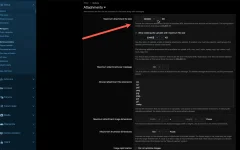
XenForo'nun kendi raporu. XenForo 2.3'te yönetim panelinin ana sayfasındaki Server environment report bloğu memory_limit, post_max_size, upload_max_filesize, max_input_vars ve max_execution_time değerlerini listeler; bloktaki PHP sürüm numarası da tam phpinfo çıktısına (admin.php?tools/phpinfo) bağlantı verir. İkisi için de View server information yönetici izni gerekir. Bir kontrol daha: Setup > Options > Attachments sayfasında Maximum attachment file size alanının altındaki not, sunucunun izin verdiği üst sınırı (iki PHP değerinden küçük olanı, KB cinsinden) gösterir ve XenForo bundan büyük bir değeri kaydetmez. PHP değerlerini yükselttiğiniz hâlde bu not değişmiyorsa web tarafındaki PHP yeni değerleri henüz görmüyordur.
Panellerde aynı site için birden fazla PHP bulunabilir.
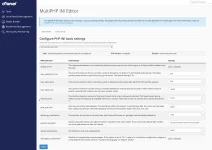
- cPanel: MultiPHP Manager alan adının hangi PHP sürümünü kullandığını gösterir. MultiPHP INI Editor ekranının Basic Mode sekmesinde alan adını seçip upload_max_filesize, post_max_size ve memory_limit değerlerini değiştirirsiniz. Değişikliği yanlış sürüme ya da yanlış alan adına yapmak çok yaygın bir hatadır.
- CloudLinux PHP Selector: Select PHP Version ekranındaki Options sekmesi aynı değerleri yönetir. Sunucunun yerel (native) sürümü seçiliyse bu sekme görünmeyebilir.
- DirectAdmin: Her alan adı ayrı bir PHP sürümü kullanabilir. Hesaba özel FPM ayarları Admin Level > Custom HTTPD Configurations > alan adı > php-fpm ekranındaki |CUSTOM2| alanına yazılır. Havuz dosyasını elle düzenlemeyin, DirectAdmin onu yeniden yazar. php.ini yolları ve yeniden başlatma komutları için DirectAdmin'de php.ini düzenleme konumuza bakın.
- Plesk: Alan adının PHP Settings sayfası aynı yönergeleri alan adı bazında ayarlar.
Gizli tuzak: php_admin_value. FPM havuzunda bir değer php_admin_value ile verilmişse .user.ini dosyası ve ini_set() onu değiştiremez. Sağlayıcınız havuza php_admin_value[upload_max_filesize] = 2M yazdıysa .user.ini'ye ne yazarsanız yazın phpinfo 2M göstermeye devam eder. Bu durumda değişikliği havuzda yapmanız ya da sağlayıcıdan istemeniz gerekir.
3. Adım: Değişikliği doğru katmana yazın
| phpinfo'daki Server API | Nereye yazılır | Dikkat |
|---|---|---|
| FPM/FastCGI | O sürümün php.ini dosyası, FPM havuzu (pool) veya .user.ini | .htaccess içindeki php_value Apache'de 500 hatası verir; Nginx .htaccess okumaz |
| Apache 2.0 Handler (mod_php) | php.ini veya .htaccess (php_value) | .user.ini okunmaz |
| LiteSpeed | İlgili lsphp sürümünün php.ini dosyası, panel veya .htaccess (php_value) | php.ini değişikliğinden sonra LiteSpeed'i yeniden başlatın |
| CGI/FastCGI | php.ini veya .user.ini | .user.ini önbellek süresine tabidir |
Örnek hedef: Kullanıcılar 50 MB'a kadar dosya ekleyebilsin. php.ini dosyasında ya da panelde:
INI:
upload_max_filesize = 64M
post_max_size = 72M
memory_limit = 256M
FPM havuzunda aynı değerler şöyle yazılır (Debian ve Ubuntu'da havuz dosyaları /etc/php/8.3/fpm/pool.d/ altındadır; yol ve servis adı dağıtıma ve panele göre değişir):
INI:
php_admin_value[upload_max_filesize] = 64M
php_admin_value[post_max_size] = 72M
php_admin_value[memory_limit] = 256M
Bash:
php-fpm8.3 -t && systemctl reload php8.3-fpm.user.ini dosyası XenForo kök dizinine, index.php ile aynı yere konur ve php.ini sözdizimini kullanır; php_value satırları burada çalışmaz. PHP bu dosyayı varsayılan olarak 300 saniyede bir yeniden okur, yani değişikliğin görünmesi beş dakikayı bulabilir:
INI:
upload_max_filesize = 64M
post_max_size = 72M
memory_limit = 256M
.htaccess yöntemi yalnızca mod_php ve LiteSpeed ile çalışır. PHP-FPM kullanan bir Apache sunucusunda bu satırlar "Invalid command 'php_value'" hatasıyla bütün sitede 500 hatasına yol açar:
Kod:
php_value upload_max_filesize 64M
php_value post_max_size 72M
php_value memory_limit 256M
Merdiven kuralı. Katmanları içten dışa doğru biraz büyüterek sıralayın: XenForo (50 MB) < upload_max_filesize (64M) < post_max_size (72M) < web sunucusu ve ModSecurity gövde sınırı (örneğin 80M) < Cloudflare plan sınırı. post_max_size değeri upload_max_filesize değerinden büyük olmalıdır, çünkü istek gövdesi dosyanın yanında form alanlarını ve multipart başlıklarını da taşır. Bu düzende sınırı biraz aşan kullanıcı, altyapının belirsiz hatası yerine XenForo'nun açık bir mesajını görür. Test dosyalarının vermesi gereken sonuçlar:
| Test dosyası | XenForo 2.3 | Dosya denetlenmeden sunucuya ulaşırsa |
|---|---|---|
| 45 MB | Yüklenir | Yüklenir |
| 60 MB | The uploaded file is too large. (XenForo seçeneği) | Aynı |
| 68 MB | The uploaded file is too large for the server to process. (tarayıcı denetimi, dosya gönderilmez) | Aynı mesaj, bu kez PHP'den (upload_max_filesize) |
| 76 MB | 68 MB ile aynı | Security error occurred… (post_max_size) |
| 90 MB | 68 MB ile aynı | Genel bir hata ve 413 (web sunucusu) |
Sağdaki sütun, eski XenForo sürümleriyle ilgili forum bildirimlerinde anlatılan düzendir. 2.3 kullanan bir forumda yükleme sırasında Security error ya da 413 görüyorsanız dış katmanlardan biri PHP sınırından düşük ayarlanmış demektir; merdiven kuralı tam da bunu önler. Bir dosya beklenenden farklı bir mesaj veriyorsa o katmanın değeri sandığınız gibi değildir.
4. Adım: XenForo tarafındaki ayarlar
Setup > Options > Attachments sayfasındaki seçenekler (etiketler XenForo 2.3'e göredir; eski sürümlerde bazılarının adı farklıdır):- Maximum attachment file size: Değer kilobayt (KB) cinsindendir ve varsayılanı 1024'tür (1 MB). 50 MB için 51200 yazılır; 50 yazarsanız sınırı 50 KB yapmış olursunuz. Resimlerde bu kontrol küçültülmüş dosyaya uygulanır. Bu yüzden iyi sıkışan bir JPEG fotoğraf geçerken, kayıpsız sıkıştırıldığı için büyük kalan benzer boyuttaki bir PNG ekran görüntüsü sınıra takılabilir.
- Maximum attachment image dimensions: Varsayılan olarak boştur, yani sınır yoktur. Değer girildiğinde daha büyük resimler sığacak şekilde küçültülür; 2.3'ten itibaren bunu ilk olarak kullanıcının tarayıcısı, yüklemeden önce dener (JPEG ve PNG için; GIF ve WebP dosyaları olduğu gibi gönderilir, resim optimizasyonu açıksa sonuç WebP'ye dönüştürülür). Sunucu yine de piksel sayısı küçültme sınırının üstündeki bir resmi küçültmek zorunda kalırsa yükleme "The uploaded image is too big." mesajıyla reddedilir. 0 ya da boş değer sınırı kaldırır: Resimler olduğu gibi saklanır, piksel sınırını aşanlar küçük resimsiz kalabilir.
- Allow video/audio uploads with maximum file size: Video ve ses dosyaları için ayrı bir KB sınırı. 2.3'te bu sınırı aşan dosya tarayıcıda "The file is too large to be uploaded." mesajıyla durdurulur. Forumdaki en büyük yüklemeler çoğunlukla videolardır; bu değer de PHP ve web sunucusu sınırlarının altında kalmalıdır.
- Allowed attachment file extensions: 2.3'teki varsayılan liste zip, txt, pdf, png, jpg, jpeg, jpe, gif ve webp'dir; eski sürümlerin varsayılan listesinde webp yoktu. Video/ses yüklemeleri açıksa bu türlerin uzantılarına kendiliğinden izin verilir.
- Maximum attachments per message: Mesaj başına ek sayısı; ayrıntısı yukarıda bağlantısını verdiğimiz 17 numaralı konuda.
Kimin yükleyebileceği. Groups & permissions > User group permissions altındaki "Upload attachments to posts" ve "Upload video/audio to posts" (eski sürümlerde "Upload videos to posts") izinleri hangi grubun dosya ve medya yükleyebileceğini belirler. Çekirdek XenForo'da boyut sınırları gruba göre değil genel seçeneklerle belirlenir; grup bazlı boyut sınırı için üçüncü taraf eklentiler vardır. Bir üyenin gerçek izinlerini Groups & permissions > Analyze permissions ile görebilirsiniz.
Media Gallery ve Resource Manager. XenForo Media Gallery (XFMG) kendi video ve ses seçeneklerini kullanır; çekirdekteki video anahtarı galeriye uygulanmaz. Galeride azami dosya boyutu ve kotalar kullanıcı grubu izinleriyle verilir ve bu izinler megabayt (MB) cinsinden tam sayı alır. Resource Manager (XFRM) seçenek grubunda ek dosya sınırından bağımsız bir Maximum resource file size (KB) ayarı bulunur. İkisi de sonunda aynı PHP ve web sunucusu sınırlarından geçer.
Küçük resimler ve memory_limit. Dosyayı almak için dosya boyutu kadar bellek gerekmez, çünkü PHP yüklenen dosyayı belleğe değil geçici dizine yazar. memory_limit asıl sunucu resmi işlerken önem kazanır: XenForo küçük resim üretirken ya da büyük bir resmi küçültürken görüntünün tamamını belleğe açar ve GD ile bu, piksel başına yaklaşık 4 bayt demektir. Belirleyici olan dosya boyutu değil piksel sayısıdır; birkaç megabaytlık bir JPEG bile 48 megapiksel olabilir.
- 20 MP (5000 × 4000): yaklaşık 80 MB
- 24 MP (6000 × 4000): yaklaşık 96 MB
- 48,8 MP (8064 × 6048): yaklaşık 195 MB
PHP:
// src/config.php: 48 MP'ye kadar küçült, XenForo 2.3 varsayılanı (GD ile resim başına ~192 MB bellek)
$config['maxImageResizePixelCount'] = 48000000;
48 MP sınırında memory_limit için 384M ya da 512M düşünün (yukarıdaki örnekteki 256M, yaklaşık 24 MP'ye kadar fotoğraflara rahatça yeter) ve gerçek bir telefon fotoğrafıyla deneyin. PHP ile birlikte gelen GD kütüphanesinde (phpinfo'daki GD Version satırında "bundled" yazar) bu bellek memory_limit'e sayılır; sistemdeki libgd kullanılıyorsa bellek PHP'nin dışında ayrılır ve asıl sınır sunucunun boş RAM'i olur. memory_limit yetmezse PHP sürümüne göre ya Logs > Server error log'da "Allowed memory size of … bytes exhausted" kaydı görürsünüz ya da ek sessizce küçük resimsiz kalır. Imagick de belleği PHP'nin dışında ayırır; onun sınırları ImageMagick'in policy.xml dosyasından gelir. 2.3'te azami resim boyutlarını tanımlarsanız bu işin çoğunu yüklemeden önce kullanıcıların tarayıcısı yapar; eski kurulumlarda kullanıcı tarafındaki en basit çözüm, fotoğrafı yüklemeden önce 2000-3000 piksel genişliğe küçültmektir.
5. Adım: Günlüklerde kanıtı arayın
Her katman reddettiği isteği kendine özgü bir cümleyle kaydeder. Test dosyasını yüklerken günlükleri tail -f ile izleyin ve şu satırları arayın:
Kod:
# PHP / PHP-FPM hata günlüğü: post_max_size aşıldı (ikinci sayı geçerli sınırdır, 75497472 = 72M)
POST Content-Length of <istek boyutu> bytes exceeds the limit of 75497472 bytes

# Nginx error.log: client_max_body_size
client intended to send too large body: <istek boyutu> bytes

# Apache error_log: LimitRequestBody (yalnızca LogLevel info veya daha ayrıntılıysa)
Requested content-length of <istek boyutu> is larger than the configured limit of 83886080

# Apache + ModSecurity
Request body (Content-Length) is larger than the configured limit (13107200)- Sunucuda upload_max_filesize aşıldığında PHP normal derlemelerde günlüğe bir şey yazmaz; günlük temizken "too large for the server to process" mesajı geliyorsa sebep bu sınırdır. Dosyayı XenForo 2.3'ün tarayıcı denetimi durdurduysa hiç istek gönderilmez, erişim günlüğü (access log) bile boş kalır.
- Apache bu reddi info düzeyinde kaydeder; varsayılan LogLevel warn olduğundan error_log'da görünmeyebilir. Erişim günlüğündeki 413 satırı yine oradadır.
- ModSecurity'nin denetim günlüğü (audit log) önerilen yapılandırmada /var/log/modsec_audit.log'dur, paneller farklı yollar kullanır. Imunify360 kurulu sunucularda Imunify360 > Incidents ekranına ve /var/log/imunify360/console.log dosyasına da bakın.
- Tarayıcıda geliştirici araçlarını (F12) açın ve Network sekmesinde yükleme sırasında giden POST isteğini seçin (adresinde genellikle attachments/upload geçer). 413 sayfasının altındaki ad (nginx ya da cloudflare) veya Apache'nin "Request Entity Too Large" sayfası, isteği kimin reddettiğini çoğu zaman söyler. Kaynak sunucunun (origin) günlüklerinde hiç iz yoksa istek sunucuya varmadan, büyük olasılıkla Cloudflare'de durmuştur.
- Yükleme bitip işlem sırasında hata çıkıyorsa Logs > Server error log'a bakın. PHP'nin geçici dizini (upload_tmp_dir) ya da XenForo'nun internal_data/temp dizini dolu veya yazılamaz durumdaysa da yüklemeler başarısız olur; disk alanını df -h ile kontrol edin.
6. Adım: Çok büyük dosyalar için seçenekler
Cloudflare üzerinden proxy'lenen (turuncu bulut) bir adreste istek başına sınır Free ve Pro planlarında 100 MB, Business'ta 200 MB'tır; Enterprise daha yükseğe çıkabilir (Cloudflare'in 413 sayfası şu an 5 GB'a kadar diyor). Zone'un Network sayfasındaki Maximum Upload Size ayarı bu sınırı düşürmüşse de 413 alırsınız. Daha büyük dosyalar için Cloudflare'in kendi önerileri isteği parçalara bölmek, kaydı DNS-only yapmak ya da planı yükseltmektir. Pratik seçenekler:- Parçalı yükleme (chunked upload): XenForo, parçalı yüklemeyi 2.4 sürümünün çekirdek özelliği olarak duyurdu; özellik, artık bakımı yapılmayan üçüncü taraf Chunked Uploads eklentisinden geliyor. Tarayıcı dosyayı parçalar hâlinde, her parçayı istek başına sınırların altında kalan ayrı bir istekle gönderir. Forumunuz bu özelliği içeren bir sürümdeyse Cloudflare sınırına en temiz çözüm budur.
- Yalnızca ekip için DNS-only yükleme adresi: Örneğin yukle.alanadiniz.com'u gri bulut (DNS-only) olarak aynı XenForo sitesine yönlendirirsiniz. Cloudflare sınırı ortadan kalkar ama bedeli vardır: Kaynak sunucunun IP adresi görünür olur, bu adreste WAF, DDoS koruması ve önbellek çalışmaz, kaynak sunucuda bu adres için tarayıcıların güvendiği bir sertifika gerekir (Cloudflare Origin CA sertifikası yetmez). XenForo çerezleri varsayılan olarak yalnızca açıldıkları alan adına yazıldığı için ekip bu adreste ayrıca oturum açar. Erişimi IP izin listesi (allow list) ya da VPN ile kısıtlayın ve bu adresi herkese açık bağlantılarda kullanmayın.
- Resource Manager için harici depolama: Kategorinin izin verilen kaynak türlerine harici indirme bağlantısını (external download URL) ekleyip dosyayı nesne depolamada (object storage) ya da bir indirme sunucusunda tutabilirsiniz. Bedeli, XenForo izinlerinin harici adresi korumamasıdır.
- Ekip için SFTP: Gigabaytlık disk imajları, firmware dosyaları veya veri setleri için en sağlam yol, dosyayı SFTP ile yükleyip konuda bağlantısını vermektir; web katmanlarının hiçbiri devreye girmez.
Sık sorulan sorular
php.ini'yi değiştirdim ama phpinfo hâlâ 2M gösteriyor. Neden?Beş olası sebep var: Değişikliği komut satırı PHP'sinin php.ini dosyasına yaptınız; alan adı başka bir PHP sürümü kullanıyor; FPM havuzundaki php_admin_value değeri kilitliyor; PHP-FPM yeniden yüklenmedi; ya da .user.ini kullanıyorsunuz ve 300 saniyelik önbellek süresi dolmadı. Loaded Configuration File satırı ve Local/Master Value sütunları hangisi olduğunu gösterir.
Mesaj dosyayı seçer seçmez çıkıyor, sunucu günlükleri de boş. Neden?
Bu, XenForo 2.3'ün tarayıcı denetimidir: Dosya, upload_max_filesize ve post_max_size değerlerinden küçük olanından büyük olduğu için hiç gönderilmedi. Geçerli sınırı görmek için sayfa kaynağında uploadMaxFilesize ifadesini aratın, sonra iki PHP değerini doğru katmanda yükseltin.
memory_limit yüklenen dosyadan büyük olmalı mı?
Dosyayı almak için gerekmez; PHP dosyayı geçici dizine yazar. php.net genel bir kural olarak memory_limit değerinin post_max_size değerinden büyük olmasını önerir, ama XenForo'da memory_limit'i asıl belirleyen, sunucunun işlediği resimlerin piksel sayısıdır.
8 MB'lık bir fotoğraf neden "The uploaded image is too big." hatası veriyor?
Çünkü belirleyici olan megabayt değil megapikseldir. Azami resim boyutları tanımlıysa ve sunucu piksel sayısı sınırın üstündeki bir fotoğrafı küçültmek zorunda kalırsa yüklemeyi reddeder. 48 MP'lik bir telefon fotoğrafı 2.3 öncesindeki 20 MP sınırının çok üstündedir; tam çözünürlükte (8064 × 6048, yaklaşık 48,8 milyon piksel) 2.3'ün varsayılanını bile biraz aşar. 2.3'te tarayıcı fotoğrafı genellikle önceden küçülttüğü için bu hata orada çok daha seyrektir. Aksi hâlde fotoğrafı yüklemeden önce küçültün ya da maxImageResizePixelCount ile memory_limit değerlerini birlikte yükseltin.
Cloudflare'i kapatmam gerekir mi?
Hayır. Free ve Pro planlarda, Network sayfasında sınır düşürülmediyse Cloudflare'in boyut sınırı 100 MB'ın altındaki dosyaları etkilemez; sorun bu boyutların altında çıkıyorsa sınır büyük ihtimalle kaynak sunucudadır. Daha büyük dosyalar için parçalı yükleme (XenForo sürümünüzde varsa), kısıtlı bir DNS-only adres ya da harici depolama, bütün siteyi korumasız bırakmaktan iyidir.
Sınırları çok yüksek tutmanın sakıncası var mı?
Var. Disk kullanımı hızla büyür; yavaş ve büyük yüklemeler sunucu bağlantılarını, geçici disk alanını ve mod_php gibi kurulumlarda PHP süreçlerini uzun süre meşgul eder. Sınırı gerçek ihtiyaca göre koyun ve yükleme iznini yalnızca ihtiyaç duyan gruplara verin.
Sonuç ve sonraki adımlar
"The uploaded file is too large for the server to process." bir XenForo ayarı değil, PHP'nin yükleme sınırıdır (upload_max_filesize; 2.3'ün tarayıcı denetiminde post_max_size de); benzer görünen mesajlar ise post_max_size'a, web sunucusuna, ModSecurity'ye, Cloudflare'e ya da XenForo'nun kendi seçeneklerine işaret eder. Kalıcı çözüm için:- Kullanıcının gördüğü mesajı kelimesi kelimesine not edin ve test kurulumunda bilinen boyuttaki dosyalarla yeniden deneyin.
- Değerleri SSH üzerinden php -i ile değil, bir web isteğinden okuyun (phpinfo ya da 2.3'te sayfa kaynağındaki uploadMaxFilesize); geçici phpinfo dosyasını hemen silin.
- Değişikliği Server API satırına uygun katmana yazın, PHP-FPM'i yeniden yükleyin ve Local Value sütununu tekrar kontrol edin.
- Merdiven kuralını uygulayın: XenForo en dar katman olsun, her dış katman biraz daha geniş.
- 100 MB'ın üstündeki dosyalar için parçalı yükleme, Cloudflare planı, DNS-only ekip adresi ve harici depolama arasında bilinçli bir seçim yapın.
Short answer: "The uploaded file is too large for the server to process." has nothing to do with XenForo's attachment settings; it reports PHP's upload limits. When the file reaches the server, PHP rejects anything larger than upload_max_filesize before XenForo sees it and passes on the error code UPLOAD_ERR_INI_SIZE, which XenForo turns into this message; XenForo staff explain it the same way on xenforo.com. XenForo 2.3 also runs the check in the browser: every page carries the smaller of upload_max_filesize and post_max_size, and a bigger file is stopped with the same message before anything is sent. Either way, the fix is to raise upload_max_filesize and post_max_size in the PHP configuration your site actually runs with, which is not always the file you edited.
The harder part is that a large upload does not always fail with the same message. Several similar-looking symptoms come from different layers of the stack, and each one points to a different setting. This guide maps every message to its cause first, then shows how to measure the real values and change the right layer. For the Nginx, Apache and LiteSpeed directives themselves, see our guide to every upload limit layer; here we stay with XenForo-specific diagnosis.
Which message comes from which layer?
The messages below are XenForo's English master phrases. If your board runs a translation, the wording on screen will differ.| Message or symptom | Produced by | Underlying cause | Check first |
|---|---|---|---|
| The uploaded file is too large for the server to process. | PHP's limits, relayed by XenForo (2.3 also checks them in the browser) | The file is larger than upload_max_filesize (UPLOAD_ERR_INI_SIZE); the 2.3 browser check uses the smaller of upload_max_filesize and post_max_size | Both values in phpinfo, Local Value column |
| The uploaded file is too large. | XenForo | The attachment file size option (in KB, default 1024); for images the size is checked after resizing | Setup > Options > Attachments |
| The file is too large to be uploaded. | XenForo 2.3, in the browser | A video or audio file is larger than the video/audio size option | Setup > Options > Attachments |
| The uploaded image is too big. | XenForo | The image exceeds the maximum dimensions and has too many pixels for the server to resize (default cap: 20,000,000 pixels before 2.3, 48,000,000 from 2.3) | Maximum image dimensions option and src/config.php |
| Security error occurred. Please press back, refresh the page, and try again. (right after a big upload) | XenForo's CSRF check | The request exceeded post_max_size; PHP left $_POST and $_FILES empty, so _xfToken went missing with them. On 2.3 the browser check usually stops such files first | post_max_size and the PHP error log |
| Oops! We ran into some problems. (or the upload fails with no clear reason), with a 413 on the upload request | Nginx (client_max_body_size), Apache (LimitRequestBody), LiteSpeed's request body limit, ModSecurity or Imunify360 (SecRequestBodyLimit), or Cloudflare | The request hit a body size limit before reaching PHP; on 2.3 that limit is lower than PHP's | Network tab in the browser's developer tools, web server logs |
| The upload completes but no thumbnail appears | XenForo image processing (GD or Imagick) | Pixel cap or memory_limit | Logs > Server error log and memory_limit |
The XenForo rows are limits you set on purpose, and they give members the clearest messages; the others appear when the infrastructure steps in first. The limit on how many files a post can carry is a separate setting, covered in our "You may only attach 10 files" thread.
To confirm the exact wording on your own board, reproduce the error on a test (staging) installation and open Appearance > Languages & phrases > Phrases in the admin control panel. Phrase names usually follow their content, so typing a few words such as too_large into the filter box is enough. Open a phrase and you see your language's text next to the English master value, which is how you match a member's translated screenshot to a row in the table.
Step 1: Find the threshold with files of a known size
"Big files won't upload" is a complaint, not a diagnosis. You need the size at which uploads start failing. Create test files whose size you know exactly, try coarse steps such as 5, 10, 20 and 50 MB, then halve the gap between the last size that worked and the first that failed:
Bash:
# macOS: the m suffix means 1,048,576 bytes
mkfile 30m test-30m.zip

# Linux
dd if=/dev/zero of=test-30m.zip bs=1M count=30
Kod:
fsutil file createnew test-30m.zip 31457280Give the file an extension from your allowed list (zip and txt are in XenForo's default list). Otherwise you get the extension error and learn nothing about size. Once you have the threshold, see whether it matches a well-known default:
| Fails at about | Suspect this layer |
|---|---|
| 1 MB | XenForo's default attachment limit (1024 KB) if the message is "The uploaded file is too large."; Nginx client_max_body_size default (1m) if the request gets a 413 |
| 2 MB | PHP upload_max_filesize default (2M) |
| 8 MB | PHP post_max_size default (8M) |
| 12.5 MB | SecRequestBodyLimit in ModSecurity's recommended configuration (13107200 bytes) |
| 100 MB | Cloudflare per-request limit on the Free and Pro plans |
| 200 MB | Cloudflare Business plan |
| 1 GB | Apache LimitRequestBody default from 2.4.54 on (unlimited in 2.4.53 and earlier) |
These are the software defaults, and hosting panels and distributions change many of them. Treat the table as a hint; the logs in step 5 are the proof.
Step 2: Read the values the web server's PHP actually uses
The classic mistake is checking with php -i over SSH. The command-line PHP (CLI) often reads a different php.ini and is sometimes a different PHP version altogether, so the terminal can show 128M while the site runs with 2M. What counts is the SAPI that handles web requests.A temporary phpinfo file. Put a file with a hard-to-guess name in the XenForo root, open it in a browser and delete it as soon as you have read it. phpinfo output exposes server paths and modules, so never leave it in place.
Bash:
cd /home/username/public_html        # the directory XenForo is installed in
f="pi-$(openssl rand -hex 6).php"
echo '<?php phpinfo();' > "$f" && echo "$f"
# open https://your-domain/<file-name>, read the values, then:
rm -f "$f"
Look at these lines:
- Server API: FPM/FastCGI, Apache 2.0 Handler, LiteSpeed or CGI/FastCGI. This line decides where your change has to go.
- Loaded Configuration File and Additional .ini files parsed: which php.ini and which extra .ini files were read.
- upload_max_filesize, post_max_size, memory_limit: Local Value is what this request actually gets; Master Value comes from the main configuration. If they differ, a .user.ini or .htaccess changed the value. php_value and php_admin_value lines in an FPM pool usually show up in both columns.
- user_ini.filename and user_ini.cache_ttl: whether .user.ini files are read at all and how often they are re-read.
A quick look without logging in (XenForo 2.3). Open any page of the board, view the page source and search for uploadMaxFilesize. The number is the smaller of upload_max_filesize and post_max_size in bytes, as the web server's PHP sees it, and it is the value the browser check uses: 209715200, for example, is 200 MB.
XenForo's own report. On XenForo 2.3, the Server environment report block on the admin control panel home page lists memory_limit, post_max_size, upload_max_filesize, max_input_vars and max_execution_time, and the PHP version number in that block links to the full phpinfo output (admin.php?tools/phpinfo). Both need the View server information admin permission. One more check: on Setup > Options > Attachments, the note under Maximum attachment file size shows the ceiling the server allows (the smaller of the two PHP values, in KB), and XenForo refuses to save a larger value. If you raised the PHP values and that note did not change, the web server's PHP is not seeing the new values yet.
Control panels can run more than one PHP for the same site.
- cPanel: MultiPHP Manager shows which PHP version a domain uses. In the Basic Mode tab of MultiPHP INI Editor you pick the domain and change upload_max_filesize, post_max_size and memory_limit. Editing the wrong version or the wrong domain is a very common slip.
- CloudLinux PHP Selector: the Options tab of Select PHP Version manages the same values. It may not appear while the server's native version is selected.
- DirectAdmin: each domain can use its own PHP version. Account-specific FPM settings go into the |CUSTOM2| field under Admin Level > Custom HTTPD Configurations > the domain > php-fpm. Do not edit the pool file by hand, because DirectAdmin rewrites it. For php.ini paths and restart commands, see our DirectAdmin php.ini guide.
- Plesk: the domain's PHP Settings page sets the same directives per domain.
The hidden trap: php_admin_value. If a value is set with php_admin_value in the FPM pool, neither a .user.ini file nor ini_set() can change it. If your provider put php_admin_value[upload_max_filesize] = 2M in the pool, phpinfo keeps showing 2M whatever you write in .user.ini. The change then has to happen in the pool, or your provider has to make it.
Step 3: Change the right layer
| Server API in phpinfo | Where to change it | Watch out for |
|---|---|---|
| FPM/FastCGI | That version's php.ini, the FPM pool or .user.ini | php_value in .htaccess causes a 500 error on Apache; Nginx ignores .htaccess |
| Apache 2.0 Handler (mod_php) | php.ini or .htaccess (php_value) | .user.ini is not read |
| LiteSpeed | The php.ini of the lsphp version in use, the panel or .htaccess (php_value) | Restart LiteSpeed after a php.ini change |
| CGI/FastCGI | php.ini or .user.ini | .user.ini changes wait for the cache TTL |
Worked example: members should be able to attach files of up to 50 MB. In php.ini or the panel:
INI:
upload_max_filesize = 64M
post_max_size = 72M
memory_limit = 256M
In an FPM pool the same values look like this (on Debian and Ubuntu the pool files live under /etc/php/8.3/fpm/pool.d/; paths and service names vary by distribution and panel):
INI:
php_admin_value[upload_max_filesize] = 64M
php_admin_value[post_max_size] = 72M
php_admin_value[memory_limit] = 256M
Bash:
php-fpm8.3 -t && systemctl reload php8.3-fpmA .user.ini file goes in the XenForo root next to index.php and uses php.ini syntax; php_value lines do not work there. PHP re-reads it every 300 seconds by default, so a change can take up to five minutes to show:
INI:
upload_max_filesize = 64M
post_max_size = 72M
memory_limit = 256M
The .htaccess method works only with mod_php and LiteSpeed. On an Apache server that hands PHP to PHP-FPM, these lines take the whole site down with a 500 error ("Invalid command 'php_value'"):
Kod:
php_value upload_max_filesize 64M
php_value post_max_size 72M
php_value memory_limit 256M
The ladder rule. Make each layer slightly larger than the one inside it: XenForo (50 MB) < upload_max_filesize (64M) < post_max_size (72M) < web server and ModSecurity body limit (say 80M) < Cloudflare plan limit. post_max_size has to be larger than upload_max_filesize because the request body carries form fields and multipart headers along with the file. With this ladder, a member who goes slightly over the limit gets a clear XenForo message instead of a vague infrastructure error. Your test files should then behave like this:
| Test file | XenForo 2.3 | If the file reaches the server unchecked |
|---|---|---|
| 45 MB | Uploads | Uploads |
| 60 MB | The uploaded file is too large. (XenForo option) | The same |
| 68 MB | The uploaded file is too large for the server to process. (browser check, nothing is sent) | The same message, from PHP (upload_max_filesize) |
| 76 MB | Same as 68 MB | Security error occurred… (post_max_size) |
| 90 MB | Same as 68 MB | A generic error with a 413 (web server) |
The right-hand column is the pattern described in forum reports from older XenForo versions. On a 2.3 board, a Security error or a 413 during an upload therefore means one of the outer layers is set lower than PHP's limit, which is exactly what the ladder rule prevents. If a file produces a different message than expected, that layer's value is not what you think it is.
Step 4: XenForo-side settings
The relevant options on Setup > Options > Attachments (labels as in XenForo 2.3; older versions word some of them differently):- Maximum attachment file size: the value is in kilobytes, and the default is 1024 (1 MB). 50 MB is 51200; type 50 and you have set a 50 KB limit. For images the check applies to the resized file, which is why a JPEG photo that shrinks well can pass while a PNG screenshot of similar size, which stays large because PNG is lossless, can fail.
- Maximum attachment image dimensions: blank by default, which means no limit. With values set, larger images are scaled down to fit; from 2.3 the member's browser tries this first, before uploading (JPEG and PNG; GIF and WebP files are sent as they are, and with image optimization switched on the result is converted to WebP). If the server still has to scale an image whose pixel count is above the resize cap, the upload fails with "The uploaded image is too big." A value of 0 or blank removes the limit: images are stored as uploaded, and those above the pixel cap may end up without a thumbnail.
- Allow video/audio uploads with maximum file size: a separate limit in KB for video and audio. On 2.3 a file over it is stopped in the browser with "The file is too large to be uploaded." Videos are usually the biggest uploads on a forum, and this value also has to stay below the PHP and web server limits.
- Allowed attachment file extensions: the 2.3 default list is zip, txt, pdf, png, jpg, jpeg, jpe, gif and webp; older defaults lacked webp. When video/audio uploads are enabled, their extensions are allowed automatically.
- Maximum attachments per message: the file count limit, covered in thread 17 (linked above).
Who may upload. Under Groups & permissions > User group permissions, "Upload attachments to posts" and "Upload video/audio to posts" ("Upload videos to posts" on older versions) decide which groups can upload files and media. In core XenForo the size limits are global options rather than per-group values; third-party add-ons exist if you need per-group sizes. Groups & permissions > Analyze permissions shows what a given member really ends up with.
Media Gallery and Resource Manager. XenForo Media Gallery (XFMG) has its own video and audio options, and the core video toggle does not apply to the gallery. Gallery file size limits and quotas are user group permissions entered as whole numbers of megabytes (MB). The Resource Manager (XFRM) option group has its own Maximum resource file size (KB) setting, independent of the attachment limit. Both still pass through the same PHP and web server limits.
Thumbnails and memory_limit. Receiving a file does not take memory in proportion to its size: PHP writes uploads to a temporary directory, not to RAM. memory_limit matters when the server processes images. To build a thumbnail or scale a large image down, XenForo opens the whole picture, and with GD that costs roughly 4 bytes per pixel. Pixel count decides, not file size; a JPEG of a few megabytes can still be 48 megapixels.
- 20 MP (5000 × 4000): about 80 MB
- 24 MP (6000 × 4000): about 96 MB
- 48.8 MP (8064 × 6048): about 195 MB
PHP:
// src/config.php: resize images up to 48 MP, the XenForo 2.3 default (roughly 192 MB per image with GD)
$config['maxImageResizePixelCount'] = 48000000;
With a 48 MP cap, plan for a memory_limit of 384M or 512M (the 256M in the worked example is comfortable for photos up to about 24 MP) and test with a real phone photo. With the GD library bundled with PHP (phpinfo shows "bundled" in the GD Version line), this memory counts against memory_limit; with a system libgd it is allocated outside PHP, and the server's free RAM becomes the real limit. When memory_limit runs out, depending on the PHP version you either find "Allowed memory size of … bytes exhausted" in Logs > Server error log or the attachment quietly ends up without a thumbnail. Imagick also allocates its memory outside PHP; its limits come from ImageMagick's policy.xml. On 2.3, setting maximum image dimensions lets members' browsers do most of this work before the upload; on older boards, the simplest fix on the member's side is to scale photos to 2000-3000 pixels wide before uploading.
Step 5: Find the evidence in the logs
Every layer records a rejected request in its own words. Watch the logs with tail -f while you upload a test file and look for these lines:
Kod:
# PHP / PHP-FPM error log: post_max_size exceeded (the second number is the active limit, 75497472 = 72M)
POST Content-Length of <request size> bytes exceeds the limit of 75497472 bytes

# Nginx error.log: client_max_body_size
client intended to send too large body: <request size> bytes

# Apache error_log: LimitRequestBody (only at LogLevel info or more verbose)
Requested content-length of <request size> is larger than the configured limit of 83886080

# Apache + ModSecurity
Request body (Content-Length) is larger than the configured limit (13107200)- When upload_max_filesize is exceeded on the server, a normal PHP build writes nothing to the log, so a clean log plus "too large for the server to process" points to that limit. When XenForo 2.3's browser check stops the file, no request is sent at all, and even the access log stays empty.
- Apache logs its LimitRequestBody rejection at info level, so with the default LogLevel warn it may not appear in error_log. The 413 line in the access log is still there.
- ModSecurity's audit log is /var/log/modsec_audit.log in the recommended configuration; panels use other paths. On servers with Imunify360, also look at Imunify360 > Incidents and /var/log/imunify360/console.log.
- Open the browser's developer tools (F12) and, on the Network tab, select the POST request sent during the upload (its address usually contains attachments/upload). The name at the bottom of a 413 page (nginx or cloudflare), or Apache's "Request Entity Too Large" page, usually tells you who refused it. If the origin server's logs show nothing at all, the request stopped in front of the origin, typically at Cloudflare.
- If the upload finishes but processing fails, check Logs > Server error log. Uploads also fail when PHP's temporary directory (upload_tmp_dir) or XenForo's internal_data/temp directory is full or not writable; check free space with df -h.
Step 6: Options for very large files
On a hostname proxied by Cloudflare (orange cloud), the per-request limit is 100 MB on the Free and Pro plans and 200 MB on Business; Enterprise can go higher (Cloudflare's 413 page currently says up to 5 GB). If someone lowered Maximum Upload Size on the zone's Network page, you get a 413 below the plan limit too. For anything bigger, Cloudflare itself suggests splitting the request into chunks, making the record DNS-only or upgrading the plan. Practical options:- Chunked uploads: XenForo has announced chunked uploads as a core feature of version 2.4, built from the third-party Chunked Uploads add-on, which is now listed as unmaintained. The browser sends the file in pieces, each a separate request below the per-request limits. If your board runs a version that includes it, this is the cleanest answer to the Cloudflare limit.
- A DNS-only upload hostname for staff only: for example, point upload.example.com, set to DNS-only (grey cloud), at the same XenForo site. The Cloudflare limit disappears, at a price: the origin IP becomes visible, that hostname gets no WAF, DDoS protection or caching, and the origin needs a certificate that browsers trust for it (a Cloudflare Origin CA certificate is not enough). XenForo cookies are host-only by default, so staff log in separately on that hostname. Restrict access with an IP allow list or a VPN, and never use the hostname in public links.
- External storage for Resource Manager files: add external download URL to the category's allowed resource types and keep the file in object storage or on a download server. The trade-off is that XenForo permissions no longer protect the external address.
- SFTP for staff: for disk images, firmware files or datasets measured in gigabytes, the most reliable route is to upload over SFTP and link the file from the thread; none of the web layers are involved.
FAQ
I changed php.ini, but phpinfo still says 2M. Why?There are five usual suspects: you edited the command-line PHP's php.ini; the domain runs a different PHP version; php_admin_value in the FPM pool locks the value; PHP-FPM was not reloaded; or you are using .user.ini and the 300-second cache has not expired yet. The Loaded Configuration File line and the Local and Master Value columns tell you which one it is.
The message appears as soon as I pick the file, and the server logs are empty. Why?
That is XenForo 2.3's browser check: the file is bigger than the smaller of upload_max_filesize and post_max_size, so nothing was sent. Search the page source for uploadMaxFilesize to see the current limit, then raise both PHP values in the right layer.
Does memory_limit need to be larger than the uploaded file?
Not for receiving it; PHP writes the file to a temporary directory. php.net's general advice is to keep memory_limit above post_max_size, but on a XenForo board the pixel count of the images the server processes is what really sizes memory_limit.
Why does an 8 MB photo fail with "The uploaded image is too big."?
Because megapixels decide, not megabytes. When maximum image dimensions are set and the server has to scale a photo whose pixel count is above the cap, it refuses. A 48 MP phone photo is far over the 20 MP cap of versions before 2.3, and at full resolution (8064 × 6048, about 48.8 million pixels) it is even slightly above the 2.3 default. On 2.3 the browser normally scales the photo first, so the error is much rarer there. Otherwise, scale the photo down before uploading, or raise maxImageResizePixelCount and memory_limit together.
Should I turn Cloudflare off?
No. On Free and Pro, unless someone lowered the limit on the Network page, Cloudflare's size limit does not affect files under 100 MB; if uploads fail below that, the limit is most likely on the origin. For bigger files, chunked uploads (where your XenForo version has them), a restricted DNS-only hostname or external storage beats leaving the whole site unprotected.
Is there a downside to very high limits?
Yes. Disk usage grows quickly, and slow, large uploads tie up server connections, temporary disk space and, on setups such as mod_php, PHP processes. Set limits for real needs and give upload permission only to the groups that need it.
Conclusion and next steps
"The uploaded file is too large for the server to process." is not a XenForo setting but PHP's upload limit (upload_max_filesize, and in the 2.3 browser check also post_max_size); the similar-looking messages point to post_max_size, the web server, ModSecurity, Cloudflare or XenForo's own options. For a lasting fix:- Write down the member's message word for word and reproduce it on a test board with files of a known size.
- Read the values from a web request (phpinfo, or uploadMaxFilesize in the page source on 2.3), not from php -i over SSH, and delete any temporary phpinfo file straight away.
- Make the change in the layer that matches the Server API line, reload PHP-FPM and check the Local Value column again.
- Apply the ladder rule: XenForo is the tightest layer and every outer layer is slightly wider.
- For files over 100 MB, choose deliberately between chunked uploads, a Cloudflare plan, a DNS-only staff hostname and external storage.
Ekler
Son düzenleyen:


