

MATLAB'da çalışma alanındaki (workspace) bir değişkeni CSV'ye yazmak çoğu zaman tek satırlık bir iştir. Sorunlar dosya başka bir yerde açılınca başlar: Türkçe Excel'de satırlar tek sütuna yığılır, ondalıklar metne ya da tarihe dönüşür, Türkçe harfler bozulur ya da eski sürüm kullanan bir iş arkadaşınız "Undefined function or variable 'writematrix'" hatası alır. Bu rehberde fonksiyonu veri tipine ve MATLAB sürümüne göre seçiyor, ardından bu sorunları tek tek çözüyoruz.
Kısa cevap
R2019a ve sonrasında verinin tipine uyan fonksiyonu kullanın:
Kod:
writematrix(M, 'olcum.csv');   % sayısal matris
writetable(T, 'olcum.csv');    % tablo (table): değişken adları başlık olur
writecell(C, 'olcum.csv'); % hücre dizisi (cell array): metin ve sayı karışık olabilir1. Önce sürümünüzü kontrol edin
version komutu kullandığınız sürümü gösterir. which writematrix komutu "'writematrix' not found." yanıtını veriyorsa fonksiyon o sürümde yoktur ve kodunuz o bilgisayarda çalışmaz; kodun içinde aynı kontrolü isempty(which('writematrix')) ile yapabilirsiniz. Tablo, bu yazıdaki özelliklerin hangi sürümde geldiğini MathWorks belgelerindeki sürüm geçmişine göre özetliyor.| Sürüm | Gelen özellik |
|---|---|
| R2006a öncesi | csvwrite, dlmwrite, fopen/fprintf, save |
| R2013b | table, writetable, readtable, struct2table, array2table |
| R2014b | datetime, round(x, n) |
| R2016b / R2017a | string dizileri ve compose; çift tırnaklı "metin" yazımı R2017a ile geldi |
| R2019a | writematrix, writecell, writetimetable, readmatrix; csvwrite ve dlmwrite artık önerilmiyor |
| R2019b | Tablo değişken adlarında boşluk ve Türkçe karakter kullanılabiliyor |
| R2020a | Yazma fonksiyonlarında WriteMode ('append' ile var olan dosyaya ekleme) |
| R2020b | readtable için VariableNamingRule |
2. Veri tipine göre karar tablosu
| Çalışma alanındaki veri | R2019a ve sonrası | Eski sürümlerde | Dikkat |
|---|---|---|---|
| Sayısal matris (double, tamsayı, logical) | writematrix | dlmwrite + 'precision' | Başlık satırı yazmaz |
| table | writetable | writetable (R2013b ve sonrası) | Değişken adları başlık olur |
| timetable | writetimetable | timetable2table + writetable | Satır zamanları da yazılır |
| Hücre dizisi (metin ve sayı karışık) | writecell | fprintf döngüsü | Hücre içinde hücre hata verir |
| struct (yapı) | struct2table + writetable | Aynısı | Alanların satır sayısı eşit olmalı |
| datetime içeren veri | Tabloya koyup writetable | datestr + fprintf | Format özelliğini açıkça verin |
Kod:
M = [0 21.4 1.013; 0.5 21.6 1.012; 1.0 21.9 1.011];
writematrix(M, 'matris.csv');

T = array2table(M, 'VariableNames', {'zaman_s', 'sicaklik_C', 'basinc_bar'});
writetable(T, 'tablo.csv');

C = {'Numune', 'Yuk_kN', 'Sonuc'; 'A-01', 12.4, 'kabul'; 'A-02', 11.9, 'ret'};
writecell(C, 'numune.csv');                  % ilk satır başlık

S.zaman_s = (0:0.5:1)';
S.akim_A  = [0.82; 0.85; 0.91];
writetable(struct2table(S), 'yapi.csv'); % her alan bir sütun3. Tüm çalışma alanını dışa aktarmak
Bir CSV dosyası tek bir iki boyutlu tablo taşır; farklı boyutta matrisler, tablolar ve yapılar tek bir CSV'ye anlamlı biçimde sığmaz. Pratik yol, her değişkeni kendi CSV dosyasına yazmak ve kayıpsız yedek olarak bir .mat dosyası tutmaktır. İki yöntem de şu yardımcı fonksiyonu kullanıyor (degiskeniCsvYaz.m):
Kod:
function yazildi = degiskeniCsvYaz(v, dosya)
% Değişkeni tipine uygun fonksiyonla CSV'ye yazar (R2019a ve sonrası).
yazildi = true;
if isempty(v)
    yazildi = false;
elseif istable(v)
    writetable(v, dosya);
elseif istimetable(v)
    writetimetable(v, dosya);
elseif isstruct(v)
    writetable(struct2table(v), dosya);
elseif iscell(v)
    writecell(v, dosya);
elseif isnumeric(v) || islogical(v)
    writematrix(reshape(v, size(v, 1), []), dosya);  % 3 boyutlu diziyi 2 boyuta açar
else
    yazildi = false;   % char, string, nesne: bilinçli olarak atlanır
end
end
Yöntem A: who ve evalin ile döngü
who, değişken adlarını hücre dizisi olarak döndürür. Kod bir fonksiyonda çalıştığı için değerler temel çalışma alanından (base workspace) evalin ile alınır ve döngünün kendi değişkenleri listeye karışmaz.
Kod:
function calismaAlaniniDisaAktar(klasor)
if ~exist(klasor, 'dir'), mkdir(klasor); end
adlar = evalin('base', 'who');
for k = 1:numel(adlar)
    dosya = fullfile(klasor, [adlar{k} '.csv']);
    try
        if degiskeniCsvYaz(evalin('base', adlar{k}), dosya)
            fprintf('Yazıldı: %s\n', dosya);
        else
            fprintf('Atlandı: %s\n', adlar{k});
        end
    catch hata
        fprintf('Yazılamadı: %s (%s)\n', adlar{k}, hata.message);
    end
end
endYöntem B: önce .mat, sonra dönüştür
Kod:
save('calisma_alani.mat');            % bütün değişkenler, tipleriyle
S = load('calisma_alani.mat');        % her değişken S'nin bir alanı
adlar = fieldnames(S);
for k = 1:numel(adlar)
    degiskeniCsvYaz(S.(adlar{k}), [adlar{k} '.csv']);
end4. Başlıklar ve değişken adları
writematrix başlık satırı yazmaz. Üç yol var:- Tabloya çevirin: array2table ile sütunlara ad verip writetable kullanın. R2019b ve sonrasında "Sıcaklık (°C)" gibi boşluklu, Türkçe karakterli adlar geçerlidir; eski sürümlerde adlar geçerli MATLAB tanımlayıcısı olmalıdır (sicaklik_C gibi).
- Başlık ayrı, veri ekleme moduyla (R2020a ve sonrası): başlık writecell ile, sayılar writematrix ve 'WriteMode','append' ile.
- Eski sürümlerde: başlık fprintf ile, veri dlmwrite '-append' ile.
Kod:
% 1) Tablo (Türkçe başlık için R2019b ve sonrası)
T = array2table(M, 'VariableNames', {'Zaman (s)', 'Sıcaklık (°C)', 'Basınç (bar)'});
writetable(T, 'olcum1.csv', 'Encoding', 'UTF-8');

% 2) Başlık + ekleme (R2020a ve sonrası)
writecell({'zaman_s', 'sicaklik_C', 'basinc_bar'}, 'olcum2.csv');
writematrix(M, 'olcum2.csv', 'WriteMode', 'append');

% 3) Eski sürümler
fid = fopen('olcum3.csv', 'w');
fprintf(fid, 'zaman_s,sicaklik_C,basinc_bar\n');
fclose(fid);
dlmwrite('olcum3.csv', M, '-append', 'precision', '%.4f', 'newline', 'unix');5. Hassasiyet ve sayı biçimi
writematrix, writetable ve writecell'de hassasiyet (precision) seçeneği yoktur. MathWorks belgelerine göre sayılar "long g" biçiminde, yani double için en fazla 15 anlamlı basamakla yazılır; pi dosyaya 3.14159265358979 olarak gider. Bu yüzden 0.1 + 0.2 sonucu (0.30000000000000004) dosyada 0.3 görünür ve geri okunan değer bit düzeyinde aynı olmaz. Ölçüm verisi için bu fark önemsizdir; birebir eşleşme gereken testlerde .mat kullanın ya da fprintf ile '%.17g' yazın.Eski fonksiyonlarda durum daha ciddidir: csvwrite en fazla beş anlamlı basamak yazar, dlmwrite'ın varsayılan hassasiyeti de beş anlamlı basamaktır. 123456.789 dosyaya 1.2346e+05, yani 123460 olarak geçer; ne hata ne uyarı alırsınız. MathWorks bu iki fonksiyonu kaldırmayı planlamıyor; eski betikler çalışmaya devam eder ve kayıp fark edilmeden sürer.
Kod:
X = [pi 2.5; 1/3 123456.789];
writematrix(round(X, 3), 'yuvarlanmis.csv');   % 3.142,2.5 ve 0.333,123456.789

fid = fopen('sabit.csv', 'w');
fprintf(fid, 'a,b\n');
fprintf(fid, '%.3f,%.3f\n', X.');              % 3.142,2.500 ve 0.333,123456.789
fclose(fid);6. Türkçe Excel: noktalı virgül, ondalık virgül, UTF-8 ve tarihler
Excel, Windows'ta CSV dosyasını çift tıklamayla açarken bölge ayarlarındaki liste ayırıcısını (list separator) kullanır. Türkçe ayarlarda liste ayırıcısı genellikle noktalı virgül, ondalık ayırıcı virgüldür; MATLAB'ın çıktısı ise virgülle ayrılmış ve noktalı ondalıklıdır. Üç ayrı sorun çıkar:- Ayraç: satırın tamamı A sütununda görünür.
- Ondalık: noktalı sayılar metin kalabilir; 3.5 tarihe, 1.234 ise 1234'e dönüşebilir.
- Kodlama: Excel'in birçok sürümü BOM (byte order mark) içermeyen UTF-8 dosyayı sistemin ANSI kod sayfasıyla (Türkçe Windows'ta Windows-1254) okur; ş, ğ, ı gibi harfler bozulur. Davranış Excel sürümüne ve Windows ayarlarına göre değişebildiği için BOM'suz UTF-8'in doğru tanınmasına güvenmeyin.
| Dosyayı kim açacak? | Ayraç | Ondalık | Kodlama |
|---|---|---|---|
| Türkçe Excel, çift tıklayarak | ; | , (metne çevrilerek) | UTF-8 + BOM ya da windows-1254 |
| Python, R, veritabanı, başka yazılım | , | . | UTF-8, BOM'suz |
| Excel, içe aktarma aracıyla | , | . | UTF-8 (içe aktarırken 65001 seçilir) |
| Kimse yerel ayarla uğraşmak istemiyor | - | - | .xlsx yazın |
writematrix(M, 'dosya.csv', 'Delimiter', ';') yalnızca ayracı değiştirir (izin verilenler: virgül, boşluk, sekme, noktalı virgül, dikey çizgi); ondalık sorunu sürer. Türkçe Excel'de çift tıklayınca doğru açılan bir dosya şöyle yazılır:
Kod:
zaman = datetime(2026, 3, 14, 8, 30, 0) + minutes(0:2)';
T = table(zaman, [21.45; 21.60; 21.72], {'Kazan-1'; 'Kazan-1'; 'Şişirme-2'}, ...
          'VariableNames', {'Tarih', 'Sicaklik_C', 'Hat'});
T.Tarih.Format = 'dd.MM.yyyy HH:mm:ss';     % MM = ay, mm = dakika

Ttr = T;
Ttr.Sicaklik_C = replace(compose("%.2f", T.Sicaklik_C), ".", ",");   % 21,45
writetable(Ttr, 'rapor_tr.csv', 'Delimiter', ';', 'Encoding', 'UTF-8');
bomEkle('rapor_tr.csv');

% Yalnızca sayısal matris için aynı fikir:
writematrix(replace(compose("%.4f", M), ".", ","), 'matris_tr.csv', 'Delimiter', ';');
Kod:
Tarih;Sicaklik_C;Hat
14.03.2026 08:30:00;21,45;Kazan-1
14.03.2026 08:31:00;21,60;Kazan-1
14.03.2026 08:32:00;21,72;Şişirme-2
Kod:
function bomEkle(dosya)
% UTF-8 dosyanın başına BOM (EF BB BF) ekler; zaten varsa dokunmaz.
fid = fopen(dosya, 'r');
if fid < 0, error('Okunamadı: %s', dosya); end
icerik = fread(fid, Inf, '*uint8');
fclose(fid);
bom = uint8([239; 187; 191]);
if numel(icerik) >= 3 && isequal(icerik(1:3), bom), return; end
fid = fopen(dosya, 'w');
if fid < 0, error('Yazılamadı: %s', dosya); end
fwrite(fid, [bom; icerik], 'uint8');
fclose(fid);
end- Tarihler: Format özelliğini her zaman açıkça verin. Türkçe Excel için dd.MM.yyyy HH:mm:ss, sistemler arası aktarım için ISO 8601 tarzı yyyy-MM-dd HH:mm:ss en güvenli seçimdir. Ay adı yazdırıyorsanız 'DateLocale','tr_TR' ekleyin. datetime'da MM ay, mm dakikadır; eski datestr'de tam tersi.
- Satır sonları: writematrix, writetable ve writecell belgelerinde satır sonu seçeneği yok. Gerekirse dlmwrite 'newline' ('pc' = CRLF, 'unix' = LF) ya da fopen/fprintf kullanın.
- sep=; satırı: yalnızca Excel tanır, diğer araçlar onu veri sanar. Önermiyoruz.
- En az uğraş: writetable(T, 'rapor.xlsx'). Sayılar sayı kalır, datetime Excel tarihi olarak yazılır. Mevcut .xlsx üzerine yazarken varsayılan mod 'inplace' olduğundan eski satırlar kalabilir; R2020a ve sonrasında 'WriteMode','overwritesheet' kullanın.
7. Büyük veri: ekleme modu ve parça parça yazma
- Veri bloklar hâlinde geliyorsa (R2020a ve sonrası): her blok için writematrix(blok, dosya, 'WriteMode', 'append'). İşlem yarıda kesilse de yazılanlar diskte kalır. Yeniden çalıştırmada yeni veri dünkü dosyanın sonuna eklenmesin diye betiğin başında eski dosyayı silin.
- Genellikle daha hızlı: dosyayı her blokta yeniden açmak yerine fopen ile bir kez açıp blokları fprintf ile yazmak. Blok blok yazmak, fprintf'in ihtiyaç duyduğu devrik kopyayı da küçük tutar.
- Kaynak büyük bir .mat dosyasıysa: matfile ile yalnızca gereken satırları okuyun (m.X(i:j,
 ). MathWorks'e göre verimli parça okuma -v7.3 MAT dosyası gerektirir.
Kod:
function csvParcaliYaz(M, dosya, baslik, bicim, blok)
% Örnek: csvParcaliYaz(M, 'buyuk.csv', 'zaman_s,k1,k2', '%.6f,%.4f,%.4f\n', 1e5)
[fid, mesaj] = fopen(dosya, 'w', 'n', 'UTF-8');
if fid < 0, error('Dosya açılamadı: %s (%s)', dosya, mesaj); end
kapat = onCleanup(@() fclose(fid));   % hata olsa da dosya kapanır
fprintf(fid, '%s\n', baslik);
for i = 1:blok:size(M, 1)
    j = min(i + blok - 1, size(M, 1));
    fprintf(fid, bicim, M(i:j, :).');
end
end8. Dosyayı geri okuyarak doğrulayın
Yazma komutunun hata vermemesi dosyanın doğru olduğunu göstermez. Bir dakikalık kontrol, saatler sürecek yanlış bir analizin önüne geçer:
Kod:
A = readmatrix('olcum2.csv');                    % başlığı algılayıp atlar
assert(isequal(size(A), size(M)), 'Satır/sütun sayısı tutmuyor');
fprintf('En büyük fark: %g\n', max(abs(A(:) - M(:))));

T2 = readtable('rapor_tr.csv', 'Delimiter', ';', 'DecimalSeparator', ',', ...
               'Encoding', 'UTF-8', 'VariableNamingRule', 'preserve');
disp(T2)

fid = fopen('rapor_tr.csv', 'r'); ilk3 = fread(fid, 3, '*uint8')'; fclose(fid);
disp(ilk3) % 239 187 191 ise BOM varEksik değerler fonksiyona ve dosya türüne göre ya NaN yazısı ya da boş alan olarak dosyaya geçer: dlmwrite ve fprintf NaN yazar, Excel dosyasında (.xlsx) ise MATLAB hücreyi boş bırakır. Excel NaN yazısını sayı değil metin olarak görür. Hedef sistemin boş alan mı NaN mı beklediğini baştan netleştirin. Boş alan gerekiyorsa yazmadan önce sütunu metne çevirip NaN olanları boşaltın:
Kod:
s = compose("%.3f", T.Sicaklik_C);   % NaN, "NaN" metnine dönüşür
s(isnan(T.Sicaklik_C)) = "";         % ...ve boş alana çevrilir
T.Sicaklik_C = s;
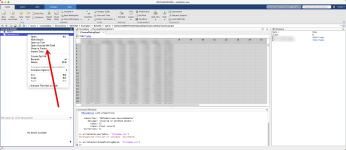
Dosyayı bulamıyorsanız pwd geçerli klasörü gösterir. Dosya, Current Folder panelinde (yeni sürümlerde Files paneli) de listelenir; sağ tıklayıp Open Outside MATLAB seçeneğiyle işletim sisteminin CSV için kullandığı uygulamada, genellikle Excel'de açabilirsiniz. Windows'ta winopen(cd) klasörü Dosya Gezgini'nde açar; macOS'te system('open .'), Linux'ta system('xdg-open .') aynı işi görür.
9. GNU Octave karşılıkları
Octave 11 kılavuzunun fonksiyon dizininde (docs.octave.org) writematrix, writecell, writetable, readmatrix ve readtable yok; çekirdekte table, datetime, string ve compose da bulunmuyor.| MATLAB | Octave karşılığı |
|---|---|
| writematrix | dlmwrite veya csvwrite, 'precision' ile |
| writetable | Başlık fprintf ile, sayılar dlmwrite ile |
| writecell | io paketindeki cell2csv |
| round(x, n) | Yok; round(x*1000)/1000 ya da precision biçimi |
| save('dosya.mat') | save('-v7', 'dosya.mat'); varsayılan biçim Octave'ın metin biçimidir |
Kod:
M = [0 21.4 1.013; 0.5 21.6 1.012];
fid = fopen('olcum_octave.csv', 'w');           % Octave varsayılan olarak UTF-8 yazar
fprintf(fid, 'zaman_s,sicaklik_C,basinc_bar\n');
dlmwrite(fid, M, 'delimiter', ',', 'precision', '%.4f');   % dosya kimliği kabul eder
fclose(fid);

pkg load io                                      % kurulum: çoğu sistemde pkg install -forge io
cell2csv('numune.csv', {'Numune', 'Yuk_kN'; 'A-01', 12.4}, ';');10. Sık karşılaşılan hatalar ve çözümleri
- Undefined function or variable 'writematrix' (ya da ... for input arguments of type 'double'): sürümünüz R2019a'dan eski. dlmwrite, fprintf ya da tablolar için writetable kullanın. Octave aynı durumu 'writematrix' undefined diye bildirir.
- Invalid parameter name: WriteMode. R2019a ve R2019b'de bu seçenek yok, R2020a gerekir. Eski sürümde fprintf ya da dlmwrite '-append' ile ekleyin.
- Nested cell arrays are not supported. writecell, içinde başka hücre bulunan bir hücre dizisini yazmaz. Bu durum çoğu zaman diziyi C{k} = D(j) gibi kurmaktan doğar: parantezle indeksleme hücre döndürür, doğrusu C{k} = D{j} olurdu. Sorunlu elemanları find(cellfun(@iscell, C)) ile bulun.
- cell2mat: All contents of the input cell array must be of the same data type. Karışık tipli hücre matrise çevrilemez; writecell kullanın. csvwrite hücre dizisi kabul etmez, dlmwrite de sayısal veri içindir.
- Permission denied, dosya yazılamıyor: Windows'ta Excel'de açık dosya kilitlidir; Excel'i kapatın ya da başka adla yazın. Klasör yoksa mkdir ile oluşturun, yolları fullfile ile kurun. Gerçek sebebi [fid, mesaj] = fopen(dosya, 'w') çağrısının mesajı söyler. Standart olmayan bir uzantıda (örneğin .log) 'FileType','text' verin; uzantısız bir ada writematrix kendisi .txt ekler.
- Türkçe karakterler betiğin kendisinde bozuk görünüyor: sorun .m dosyasının kodlamasında olabilir. Güncel MATLAB sürümleri kod dosyalarında varsayılan olarak UTF-8 kullanır; yıllar önce Windows-1254 ile kaydedilmiş bir betik bu yüzden bozuk görünebilir. Betiği, kodlama seçmenize izin veren bir metin düzenleyicide UTF-8 olarak yeniden kaydedin.
Sık sorulan sorular
Bütün çalışma alanını tek bir CSV'ye yazabilir miyim?Yalnızca bütün değişkenlerin satır sayısı aynıysa (örneğin eşit uzunlukta sütun vektörleri): writetable(table(a, b, c), 'hepsi.csv'). Aksi hâlde her değişkeni ayrı bir CSV'ye yazın ve tamamını save ile .mat olarak saklayın.
writematrix mi, csvwrite mı? Kaç basamak yazılır?
R2019a ve sonrasında writematrix: "long g", yani double için en fazla 15 anlamlı basamak. csvwrite en fazla beş anlamlı basamak yazar ve ölçüm verisini sessizce yuvarlar.
Excel bütün veriyi tek sütunda gösteriyor, neden?
Excel Windows'taki liste ayırıcısını kullanır; Türkçe ayarlarda bu genellikle noktalı virgüldür. 'Delimiter',';' ile yazın ya da dosyayı Excel'in Veri sekmesindeki metin/CSV içe aktarma aracıyla açıp ayracı orada seçin.
Türkçe karakterler Excel'de bozuk çıkıyor, ne yapmalıyım?
UTF-8 yazıp başına BOM ekleyin (bomEkle) ya da içe aktarma aracında dosya kaynağı olarak 65001: Unicode (UTF-8) seçin.
Octave'da writetable var mı?
Octave 11 çekirdeğinde yok. Başlığı fprintf, sayıları dlmwrite ile yazın; hücre dizileri için io paketindeki cell2csv'yi kullanın.
Sonuç ve sonraki adımlar
Sağlam bir CSV dışa aktarımı kısa bir rutine dayanır: fonksiyonu veri tipine göre, ayracı, ondalık işaretini ve kodlamayı dosyayı kimin açacağına göre seçin, hassasiyeti bilinçli ayarlayın ve dosyayı göndermeden önce geri okuyun. Kodunuz birden fazla sürümde çalışacaksa fonksiyonların varlığını isempty(which('writematrix')) gibi bir kontrolle sınayın ve eski sürüm yolunu (dlmwrite + 'precision' ya da fprintf) hazır tutun. Veriyle analize geçecekseniz büyük veriyle korelasyon analizi yazımız iyi bir devam noktası. Ölçüm verisini MATLAB'dan rapora elle taşımak haftalık bir angaryaya dönüştüyse AIOR'un otomatik raporlama hizmeti bu akışı otomatikleştirmenin bir yolu olabilir.Exporting a MATLAB workspace variable to CSV is usually a one-liner. The trouble starts when the file is opened somewhere else: in Excel set to a decimal-comma locale (Turkish, German, French and many others) every row lands in column A, decimals turn into text or dates, non-ASCII characters come out garbled, or a colleague on an older release gets "Undefined function or variable 'writematrix'". This guide picks the function by data type and release, then fixes each of those problems in turn.
Quick answer
On R2019a or newer, match the function to the data type:
Kod:
writematrix(M, 'data.csv');   % numeric matrix
writetable(T, 'data.csv');    % table: variable names become the header
writecell(C, 'data.csv'); % cell array: text and numbers may be mixed1. Check your release first
version prints your release. If which writematrix answers "'writematrix' not found.", the function does not exist in that release and your script will fail on that machine; inside code, isempty(which('writematrix')) performs the same test. The table below follows the version history in the MathWorks documentation.| Release | What arrived |
|---|---|
| Before R2006a | csvwrite, dlmwrite, fopen/fprintf, save |
| R2013b | table, writetable, readtable, struct2table, array2table |
| R2014b | datetime, round(x, n) |
| R2016b / R2017a | string arrays and compose; double-quoted "text" literals arrived in R2017a |
| R2019a | writematrix, writecell, writetimetable, readmatrix; csvwrite and dlmwrite become "not recommended" |
| R2019b | Table variable names may contain spaces and non-ASCII characters |
| R2020a | WriteMode in the write functions ('append' adds to an existing file) |
| R2020b | VariableNamingRule in readtable |
2. Decision table by data type
| In the workspace | R2019a and newer | Older releases | Watch out |
|---|---|---|---|
| Numeric matrix (double, integer, logical) | writematrix | dlmwrite + 'precision' | No header row |
| table | writetable | writetable (R2013b+) | Variable names become the header |
| timetable | writetimetable | timetable2table + writetable | Row times are written too |
| Cell array, mixed text and numbers | writecell | fprintf loop | Nested cells raise an error |
| struct | struct2table + writetable | Same | Fields need equal row counts |
| Data with datetime values | Put it in a table, writetable | datestr + fprintf | Set Format explicitly |
Kod:
M = [0 21.4 1.013; 0.5 21.6 1.012; 1.0 21.9 1.011];
writematrix(M, 'matrix.csv');

T = array2table(M, 'VariableNames', {'time_s', 'temp_C', 'pressure_bar'});
writetable(T, 'table.csv');

C = {'Sample', 'Load_kN', 'Result'; 'A-01', 12.4, 'pass'; 'A-02', 11.9, 'fail'};
writecell(C, 'samples.csv');                 % first row is the header

S.time_s    = (0:0.5:1)';
S.current_A = [0.82; 0.85; 0.91];
writetable(struct2table(S), 'struct.csv'); % one column per field3. Exporting the whole workspace
A CSV file holds one two-dimensional table, so a workspace of differently sized matrices, tables and structs does not fit into a single CSV in any useful way. Write one CSV per variable and keep a .mat file as a lossless backup. Both methods below use this helper (exportVariableToCsv.m):
Kod:
function written = exportVariableToCsv(v, file)
% Writes one variable with the function that matches its type (R2019a+).
written = true;
if isempty(v)
    written = false;
elseif istable(v)
    writetable(v, file);
elseif istimetable(v)
    writetimetable(v, file);
elseif isstruct(v)
    writetable(struct2table(v), file);
elseif iscell(v)
    writecell(v, file);
elseif isnumeric(v) || islogical(v)
    writematrix(reshape(v, size(v, 1), []), file);  % flattens 3-D arrays to 2-D
else
    written = false;   % char, string, objects: skipped on purpose
end
end
Method A: loop over who with evalin
who returns the variable names as a cell array. Because the code runs inside a function, it fetches each value from the base workspace with evalin, and the loop's own variables never end up in the export.
Kod:
function exportWorkspace(folder)
if ~exist(folder, 'dir'), mkdir(folder); end
names = evalin('base', 'who');
for k = 1:numel(names)
    file = fullfile(folder, [names{k} '.csv']);
    try
        if exportVariableToCsv(evalin('base', names{k}), file)
            fprintf('Written: %s\n', file);
        else
            fprintf('Skipped: %s\n', names{k});
        end
    catch err
        fprintf('Failed: %s (%s)\n', names{k}, err.message);
    end
end
endMethod B: save to .mat, then convert
Kod:
save('workspace.mat');                % every variable, types intact
S = load('workspace.mat');            % each variable becomes a field of S
names = fieldnames(S);
for k = 1:numel(names)
    exportVariableToCsv(S.(names{k}), [names{k} '.csv']);
end4. Headers and variable names
writematrix never writes a header row. Three ways around that:- Convert to a table: name the columns with array2table and call writetable. From R2019b, names with spaces and non-ASCII characters such as "Temperature (°C)" are allowed; older releases require valid MATLAB identifiers (temp_C).
- Header first, then append (R2020a+): header with writecell, numbers with writematrix and 'WriteMode','append'.
- Older releases: header with fprintf, data with dlmwrite '-append'.
Kod:
% 1) Table (non-ASCII names need R2019b+)
T = array2table(M, 'VariableNames', {'Time (s)', 'Temperature (°C)', 'Pressure (bar)'});
writetable(T, 'run1.csv', 'Encoding', 'UTF-8');

% 2) Header + append (R2020a+)
writecell({'time_s', 'temp_C', 'pressure_bar'}, 'run2.csv');
writematrix(M, 'run2.csv', 'WriteMode', 'append');

% 3) Older releases
fid = fopen('run3.csv', 'w');
fprintf(fid, 'time_s,temp_C,pressure_bar\n');
fclose(fid);
dlmwrite('run3.csv', M, '-append', 'precision', '%.4f', 'newline', 'unix');5. Precision and number formatting
writematrix, writetable and writecell have no precision option. Per the MathWorks documentation they write numbers in "long g" format, up to 15 significant digits for doubles, so pi is written as 3.14159265358979. 0.1 + 0.2 (stored as 0.30000000000000004) therefore appears as 0.3 and does not read back bit-identical. For measurement data this does not matter; for tests that need an exact round trip, keep a .mat file or use fprintf with '%.17g'.The legacy functions are worse: csvwrite writes at most five significant digits and dlmwrite defaults to five as well. 123456.789 lands in the file as 1.2346e+05, i.e. 123460, without an error or warning. MathWorks has no plans to remove either function, so old scripts keep running and the loss goes unnoticed.
Kod:
X = [pi 2.5; 1/3 123456.789];
writematrix(round(X, 3), 'rounded.csv');   % 3.142,2.5 and 0.333,123456.789

fid = fopen('fixed.csv', 'w');
fprintf(fid, 'a,b\n');
fprintf(fid, '%.3f,%.3f\n', X.');          % 3.142,2.500 and 0.333,123456.789
fclose(fid);6. Excel with a decimal comma: semicolons, UTF-8 and dates
On Windows, Excel splits a double-clicked CSV on the list separator from the regional settings. In Turkish, German, French and many other locales that is a semicolon and the decimal mark is a comma, whereas MATLAB writes commas between fields and dots inside numbers. Three problems follow:- Delimiter: every row ends up in column A.
- Decimals: dotted numbers may stay as text, and values such as 3.5 or 1.234 can become a date or the number 1234.
- Encoding: many Excel versions read a UTF-8 file without a BOM (byte order mark) in the system's ANSI code page (Windows-1254 on Turkish Windows, Windows-1252 on Western European systems), which garbles non-ASCII characters such as ş, ğ, ı or é. Behaviour varies with the Excel version and Windows settings, so do not count on BOM-less UTF-8 being detected.
| Who opens the file | Delimiter | Decimal | Encoding |
|---|---|---|---|
| Decimal-comma Excel, by double-click | ; | , (converted to text) | UTF-8 with BOM, or the local code page |
| Python, R, a database, other software | , | . | UTF-8 without BOM |
| Excel through its import tool | , | . | UTF-8 (pick 65001 when importing) |
| Nobody wants to deal with locales | - | - | Write .xlsx |
writematrix(M, 'file.csv', 'Delimiter', ';') changes only the delimiter (allowed: comma, space, tab, semicolon, bar); the decimal problem remains. Here is a file that opens correctly by double-click in Turkish Excel:
Kod:
t = datetime(2026, 3, 14, 8, 30, 0) + minutes(0:2)';
T = table(t, [21.45; 21.60; 21.72], {'Boiler-1'; 'Boiler-1'; 'Şişirme-2'}, ...
          'VariableNames', {'Date', 'Temp_C', 'Line'});
T.Date.Format = 'dd.MM.yyyy HH:mm:ss';     % MM = month, mm = minutes

Ttr = T;
Ttr.Temp_C = replace(compose("%.2f", T.Temp_C), ".", ",");   % 21,45
writetable(Ttr, 'report_tr.csv', 'Delimiter', ';', 'Encoding', 'UTF-8');
addBom('report_tr.csv');

% Same idea for a plain numeric matrix:
writematrix(replace(compose("%.4f", M), ".", ","), 'matrix_tr.csv', 'Delimiter', ';');
Kod:
Date;Temp_C;Line
14.03.2026 08:30:00;21,45;Boiler-1
14.03.2026 08:31:00;21,60;Boiler-1
14.03.2026 08:32:00;21,72;Şişirme-2
Kod:
function addBom(file)
% Prepends the UTF-8 BOM (EF BB BF) unless the file already starts with it.
fid = fopen(file, 'r');
if fid < 0, error('Cannot read %s', file); end
bytes = fread(fid, Inf, '*uint8');
fclose(fid);
bom = uint8([239; 187; 191]);
if numel(bytes) >= 3 && isequal(bytes(1:3), bom), return; end
fid = fopen(file, 'w');
if fid < 0, error('Cannot write %s', file); end
fwrite(fid, [bom; bytes], 'uint8');
fclose(fid);
end- Dates: always set Format explicitly. dd.MM.yyyy HH:mm:ss suits Turkish Excel; an ISO 8601-style yyyy-MM-dd HH:mm:ss is the safest choice between systems. Add 'DateLocale' (for example 'tr_TR') when you print month names. In datetime formats MM is the month and mm the minute; the old datestr uses the opposite convention.
- Line endings: the writematrix, writetable and writecell pages document no line-ending option. If you need a specific one, use dlmwrite 'newline' ('pc' = CRLF, 'unix' = LF) or fopen/fprintf.
- The sep=; trick: only Excel understands that first line; other tools read it as data. We do not recommend it.
- Least effort: writetable(T, 'report.xlsx'). Numbers stay numbers and datetime columns become Excel dates. When overwriting an existing .xlsx, the default 'inplace' mode can leave old rows behind; on R2020a or newer use 'WriteMode','overwritesheet'.
7. Large data: append mode and chunked writes
- Data arriving in blocks (R2020a+): call writematrix(block, file, 'WriteMode', 'append') per block. If the run dies halfway, everything written so far stays on disk; delete the old file at the start so a rerun does not append to yesterday's output.
- Usually faster: open the file once with fopen and write each block with fprintf instead of reopening the file for every block. Writing in blocks also keeps the transposed copy that fprintf needs small.
- Source is a large .mat file: read only the rows you need with matfile (m.X(i:j, ). Per MathWorks, efficient partial loading requires a -v7.3 MAT-file.
Kod:
function writeCsvChunked(M, file, header, fmt, blockRows)
% Example: writeCsvChunked(M, 'big.csv', 'time_s,ch1,ch2', '%.6f,%.4f,%.4f\n', 1e5)
[fid, msg] = fopen(file, 'w', 'n', 'UTF-8');
if fid < 0, error('Cannot open %s (%s)', file, msg); end
closer = onCleanup(@() fclose(fid));   % closes the file even on error
fprintf(fid, '%s\n', header);
for i = 1:blockRows:size(M, 1)
    j = min(i + blockRows - 1, size(M, 1));
    fprintf(fid, fmt, M(i:j, :).');
end
end8. Verify the file by reading it back
A write call that did not error proves nothing about the content. A one-minute check saves hours spent on a wrong analysis:
Kod:
A = readmatrix('run2.csv');                       % detects and skips the header
assert(isequal(size(A), size(M)), 'Row/column count differs');
fprintf('Largest difference: %g\n', max(abs(A(:) - M(:))));

T2 = readtable('report_tr.csv', 'Delimiter', ';', 'DecimalSeparator', ',', ...
               'Encoding', 'UTF-8', 'VariableNamingRule', 'preserve');
disp(T2)

fid = fopen('report_tr.csv', 'r'); first3 = fread(fid, 3, '*uint8')'; fclose(fid);
disp(first3) % 239 187 191 means a BOM is presentDepending on the function and the file type, missing values end up either as the text NaN or as empty fields: dlmwrite and fprintf write NaN, while in an Excel file (.xlsx) MATLAB leaves the cell empty. Excel treats the text NaN as text, not as a number. Agree early whether the receiver expects empty fields or NaN. If it needs empty fields, turn the column into text and blank out the NaN entries before writing:
Kod:
s = compose("%.3f", T.Temp_C);   % NaN becomes the text "NaN"
s(isnan(T.Temp_C)) = "";         % ...and then an empty field
T.Temp_C = s;
Can't find the file? pwd prints the current folder, and the file also appears in the Current Folder panel (called the Files panel in recent releases), where right-click > Open Outside MATLAB opens it in the application the operating system associates with CSV, usually Excel. On Windows winopen(cd) opens the folder in File Explorer; on macOS use system('open .'), on Linux system('xdg-open .').
9. GNU Octave equivalents
The function index of the Octave 11 manual (docs.octave.org) has no writematrix, writecell, writetable, readmatrix or readtable, and core Octave lacks table, datetime, string and compose as well.| MATLAB | Octave |
|---|---|
| writematrix | dlmwrite or csvwrite, with 'precision' |
| writetable | Header via fprintf, numbers via dlmwrite |
| writecell | cell2csv from the io package |
| round(x, n) | Not available; round(x*1000)/1000 or a precision format |
| save('file.mat') | save('-v7', 'file.mat'); the default is Octave's own text format |
Kod:
M = [0 21.4 1.013; 0.5 21.6 1.012];
fid = fopen('run_octave.csv', 'w');               % Octave writes UTF-8 by default
fprintf(fid, 'time_s,temp_C,pressure_bar\n');
dlmwrite(fid, M, 'delimiter', ',', 'precision', '%.4f');   % accepts a file id
fclose(fid);

pkg load io                                        % install first, usually pkg install -forge io
cell2csv('samples.csv', {'Sample', 'Load_kN'; 'A-01', 12.4}, ';');10. Common errors and fixes
- Undefined function or variable 'writematrix' (or ... for input arguments of type 'double'): your release predates R2019a. Use dlmwrite, fprintf, or writetable for tables. Octave reports the same situation as 'writematrix' undefined.
- Invalid parameter name: WriteMode. Not available in R2019a or R2019b; it needs R2020a. Append with fprintf or dlmwrite '-append' instead.
- Nested cell arrays are not supported. writecell refuses a cell array that contains other cells. This usually comes from building it with C{k} = D(j): parentheses return a cell, whereas C{k} = D{j} stores the content. Find the offenders with find(cellfun(@iscell, C)).
- cell2mat: All contents of the input cell array must be of the same data type. A mixed cell cannot become a matrix; use writecell. csvwrite rejects cell arrays and dlmwrite is meant for numeric data.
- Permission denied, or the file cannot be written: on Windows, Excel locks a file it has open, so close it or write under a new name. Create missing folders with mkdir and build paths with fullfile. [fid, msg] = fopen(file, 'w') tells you the real reason. For a non-standard extension such as .log, pass 'FileType','text'; a name without any extension gets .txt appended by writematrix.
- Non-ASCII text already broken in the script: the .m file's encoding may be the culprit. Current MATLAB releases use UTF-8 for code files by default, so a script saved years ago in a legacy code page such as Windows-1254 can show broken characters. Re-save it as UTF-8 in a text editor that lets you choose the encoding.
FAQ
Can I write the whole workspace into one CSV file?Only if all variables have the same number of rows (for example, column vectors of equal length): writetable(table(a, b, c), 'all.csv'). Otherwise write one CSV per variable and keep everything in a .mat file with save.
writematrix or csvwrite, and how many digits do I get?
writematrix on R2019a and newer; it writes "long g", up to 15 significant digits for doubles. csvwrite stops at five significant digits and silently rounds measurement data.
Why does Excel show everything in one column?
It splits on the Windows list separator, which is a semicolon in many European locales. Write with 'Delimiter',';' or open the file through Excel's Data > From Text/CSV import and choose the delimiter there.
Non-ASCII characters are garbled in Excel. What now?
Write UTF-8 and add a BOM (addBom above), or pick 65001: Unicode (UTF-8) as the file origin in the import dialog.
Does Octave have writetable?
Not in core Octave 11. Write the header with fprintf and the numbers with dlmwrite, and use cell2csv from the io package for cell arrays.
Conclusion and next steps
A dependable CSV export is a short routine: choose the function by data type, choose delimiter, decimal mark and encoding by who will open the file, set precision on purpose, and read the file back before sending it. If your code must run on several releases, test for functions with a check such as isempty(which('writematrix')) and keep the legacy path (dlmwrite with 'precision', or fprintf) ready. If the data is headed for analysis, our step-by-step correlation analysis with big data is a good next read. And if copying measurement data from MATLAB into reports by hand has become a weekly chore, AIOR's automated report generation service is one way to automate that flow.Ekler
Son düzenleyen:


