

XenForo, kullanıcı uyarılarını (alert) tarayıcıya push bildirimi olarak iletebilir; ancak forumu çalıştıran PHP'de gmp uzantısı yoksa bu seçeneği açmanıza izin vermez. DirectAdmin kullanan bir sunucuda uzantının kendisi birkaç CustomBuild komutuyla kurulur. Bundan sonra push hâlâ çalışmıyorsa sorun çoğu zaman derlemede değildir: gmp sitenin kullanmadığı bir PHP sürümüne derlenmiştir, PHP-FPM yeniden başlatılmadığı için eski hâliyle çalışmayı sürdürüyordur ya da CloudLinux hesabı, CustomBuild'in hiç dokunmadığı bir alt-php sürümünü kullanıyordur. Bu rehber süreci baştan sona ele alıyor: forumu gerçekte hangi PHP'nin sunduğunu bulmak, gmp'yi o sürüm için derlemek, sonucu hem kabukta hem web tarafında doğrulamak, XenForo'da push'u açmak ve gerçek bir bildirimin ulaştığını görmek. Komutlar DirectAdmin'in güncel belgelerindeki da build sözdizimine göre yazıldı; eski ./build kullanımı farklılaştığı yerde ayrıca belirtildi.
XenForo push için neler gerekir, GMP neden listede?
XenForo belgelerine ve destek ekibinin yanıtlarına göre push bildirimleri için şu koşullar gerekir:- Site, geçerli ve tarayıcıların güvendiği bir sertifikayla HTTPS üzerinden sunulmalı; Board URL seçeneği de https:// ile başlamalı.
- PHP 7.1 veya üstü ile gmp, mbstring ve openssl uzantıları. Bugün kullanmanız gereken her PHP sürümü sürüm şartını zaten karşılar; belirleyici olan uzantılardır.
- Push API'yi destekleyen bir tarayıcı. iPhone ve iPad'de bu, iOS/iPadOS 16.4 veya üstü ve forumun ana ekrana eklenmiş olması anlamına gelir.
En hızlı kontrol, yönetim paneli (ACP) ana sayfasındaki Server environment report bloğudur; gmp desteği burada listelenir. XenForo destek yanıtları da yöneticileri bu bloğa yönlendiriyor: orada gmp eksik görünüyorsa, kabuk ne derse desin forumu sunan PHP'de eksiktir.
1. Adım: Forumu gerçekte hangi PHP sunuyor?
DirectAdmin birden fazla PHP sürümünü numaralı yuvalarda (slot) yan yana çalıştırabilir: php1_release, php2_release ve devamı. Her yuvanın kendi işleyicisi (handler) vardır (php1_mode, php2_mode…). Varsayılan, 1 numaralı yuvadır. Kullanıcı Domain Setup sayfasından alan adını başka bir yuvaya geçirebilir, alt alan adı (subdomain) için de ayrı bir seçim yapılabilir. Dolayısıyla forum.example.com üzerindeki forum, ana siteden farklı bir PHP ile çalışıyor olabilir. SSH oturumundaki php komutu ise çoğunlukla 1 numaralı yuvanın ikili dosyasıdır ve forumun arkasındaki PHP olmak zorunda değildir.
Bash:
# Kurulu sürümler ve işleyiciler
grep -E '^php[0-9]+_(release|mode)=' /usr/local/directadmin/custombuild/options.conf

# Alan adının kullandığı yuva (php1_select satırı yoksa 1 numara)
grep php1_select /usr/local/directadmin/data/users/KULLANICI/domains/example.com.conf

# Alt alan adı istisnaları (dosya yalnızca tanımlıysa vardır)
cat /usr/local/directadmin/data/users/KULLANICI/domains/example.com.subdomains.docroot.override

# Kabuktaki php gerçekte hangisi
readlink -f "$(command -v php)"; php -vBelirleyici olan web tarafıdır. Server environment report, web sunucusunun kullandığı PHP sürümünü gösterir; buradaki sürüm numarası, phpinfo çıktısının tamamını açan bir bağlantıdır (aynı sayfa admin.php?tools/phpinfo adresindedir). Bu sayfa yönetici girişinin arkasında durduğu için kendi phpinfo dosyanızı yüklemekten daha güvenlidir. Yine de dosya yükleyecekseniz tahmin edilemeyen bir ad verin ve okur okumaz silin. Şu üç satır çoğu soruyu yanıtlar:
| phpinfo satırı | Size söylediği |
|---|---|
| PHP Version | Derlenecek ya da düzeltilecek yuva: 8.2 ise /usr/local/php82 |
| Server API | FPM/FastCGI ise php-fpm; CGI/FastCGI ise fastcgi işleyicisi; LiteSpeed içeren bir değer ise lsphp/LSAPI |
| Loaded Configuration File | /usr/local/php82/lib/php.ini DirectAdmin'in kendi derlemesidir; /opt/alt/php82/etc/php.ini ise CloudLinux alt-php demektir |
2. Adım: gmp'yi CustomBuild ile derleyin
Derlemenin güncel kaynaklarla yapılması için önce CustomBuild'i güncelleyin; adımlar SSH üzerinden CustomBuild güncelleme rehberimizde anlatılıyor. Güncel sürümlerde CustomBuild DirectAdmin'le birlikte dağıtıldığı için bu güncelleme DirectAdmin'in kendisini de yükseltebilir; zamanlamayı buna göre seçin. Ardından root olarak uzantıyı açıp derleyin:
Bash:
da build update
da build set php_gmp yes
da build php_gmpBu komutlar, PHP uzantı ayarlarının tamamını options.conf dosyasında tutan DirectAdmin 1.667 ve sonraki sürümlere göredir (çalışan sürümü da version gösterir; da komutu bulunmayan bir sunucu zaten bundan eskidir). Daha eski sürümler bu ayarları ayrı bir php_extensions.conf dosyasında tutuyor ve CustomBuild dizininden çalıştırılan set_php sözdizimini kullanıyordu:
Bash:
cd /usr/local/directadmin/custombuild
./build update
./build set_php gmp yes
./build php_gmpDerleme "configure: error: Unable to locate gmp.h" ya da "GNU MP Library version 4.2 or greater required" hatasıyla durursa GMP geliştirme başlık dosyaları (development headers) eksiktir. Paketi kurup derlemeyi tekrarlayın:
Bash:
# AlmaLinux, Rocky Linux, CloudLinux, RHEL (EL7'de yum)
dnf install gmp-devel
# Debian, Ubuntu
apt-get install libgmp-dev
Bash:
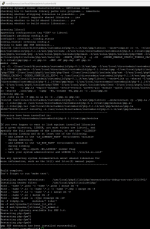
systemctl list-units --type=service 'php-fpm*'
systemctl restart php-fpm82CloudLinux ve cPanel için not
Hesap, CloudLinux PHP Selector'da seçilmiş bir alt-php sürümüyle çalışıyorsa az önce derlediğiniz gmp oraya hiç ulaşmaz. alt-php, /opt/alt/phpXX altında durur ve uzantı listesini kullanıcı ve sürüm bazında ayrı tutar. Kullanıcı, DirectAdmin kullanıcı panelindeki CloudLinux PHP Selector sayfasında gmp kutusunu işaretleyebilir; root ise aynı işi kabuktan yapabilir:
Bash:
selectorctl --user-current --user=KULLANICI
selectorctl --list-user-extensions --version=8.2 --user=KULLANICI | grep -w gmp
selectorctl --enable-user-extensions=gmp --version=8.2 --user=KULLANICI
# 8.2 kullanan tüm kullanıcılar için
selectorctl --enable-user-extensions=gmp --version=8.2 --for-all-users3. Adım: Önce her ikili dosyayı, sonra web tarafını doğrulayın
Yalnızca varsayılanı değil, DirectAdmin'in derlediği bütün PHP sürümlerini kontrol edin:
Bash:
for p in /usr/local/php*/bin/php; do
  for e in gmp mbstring openssl; do
    if "$p" -m | grep -qx "$e"; then s=VAR; else s=YOK; fi
    echo "$p $e $s"
  done
done
/usr/local/php82/bin/php --ri gmpphp.ini ile ilgili bir tuzak: CustomBuild uzantıyı derledikten sonra ayrıca kendi extension=gmp satırınızı eklemeyin. Fazladan satır hiçbir şey kazandırmaz, yalnızca açılışta uyarı üretir; örneğin PHP modülün zaten yüklü olduğunu bildirir. DirectAdmin'de PHP 8.2 için php.ini rehberimiz, ayar dosyalarının nerede durduğunu ve hangisinin yüklendiğini nasıl doğrulayacağınızı gösteriyor.
4. Adım: XenForo'da push'u açın
- Setup > Options > Basic board information > Board URL değerinin https:// ile başladığını ve sitenin tek bir ana makine adına (www'li ya da www'siz) yönlendirdiğini kontrol edin. Service worker ve push abonelikleri tek bir kökene (origin) bağlıdır; iki adres de erişilebilir kalırsa üyeler, forumun sonradan kullanmayı bıraktığı bir adreste abone kalabilir.
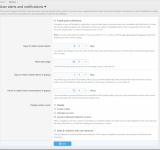
- Push ayarını bulun. XenForo 2.3'te ayar Setup > PWA setup sayfasındadır; bu sayfa sunucunun PWA gereksinimlerini karşılayıp karşılamadığını da test eder. XenForo 2.2'de "Enable push notifications" kutusu Setup > Options > User alerts and notifications altındadır. Ayar beklediğiniz yerde değilse ACP arama kutusuna "push" yazın.
- Kutuyu işaretleyip kaydedin. Ayrı bir "Generate" düğmesi yoktur: seçenek etkin hâlde kaydedildiğinde XenForo VAPID anahtar çiftini kendisi üretir. Açık anahtar (public key) tarayıcılara gider, özel anahtar (private key) sunucuda kalır.
- Herhangi bir herkese açık sayfanın kaynağına bakın. XF.config bloğunda artık enablePush: true ve uzun bir pushAppServerKey değeri bulunmalıdır.
Bash:
/usr/local/php82/bin/php -r '$k = openssl_pkey_new(["private_key_type" => OPENSSL_KEYTYPE_EC, "curve_name" => "prime256v1"]); var_dump($k !== false && openssl_pkey_export($k, $pem));'5. Adım: Bir üye gibi test edin
XenForo, service worker dosyasını (forum kökündeki service_worker.js) her sayfa yüklemesinde kaydeder. Sıradan bir test hesabıyla giriş yapın, Account > Preferences sayfasını açın ve push bildirimlerini etkinleştiren düğmeye basın (XenForo üyelere doğrudan bir davet de gösterebilir). Bildirim izni verildiğinde tarayıcı bir push aboneliği oluşturur, XenForo bunu sunucuya gönderir ve "Push notifications enabled successfully at …" onayı belirir. Bu onayı tarayıcının kendisi gösterir; yani izni, service worker'ı ve aboneliği kanıtlar, sunucu tarafındaki gönderimi değil. Gerçek test için sekmeyi kapatın ve ikinci bir hesapla test hesabının bir mesajını alıntılayın, @kullanıcıadı ile ondan bahsedin ya da mesajlarından birine tepki verin (düz bir yanıt, ancak test hesabı konuyu izliyorsa uyarı üretir). Bildirim kısa süre içinde gelmelidir.iPhone ve iPad'de (iOS/iPadOS 16.4 veya üstü) push yalnızca ana ekrana eklenmiş web uygulamasında çalışır: forumu Safari'de açın, Paylaş > Ana Ekrana Ekle'yi seçin, uygulamayı yeni simgeden başlatın, giriş yapın ve push'u orada etkinleştirin. XenForo'nun PWA kurulumu ayrıca en fazla 12 karakterlik bir site adı (Board title daha uzunsa Board short title alanı doldurulmalıdır) ile 192 ve 512 piksellik kare simgeler ister.
Bildirimlerin iletimi XenForo'nun iş kuyruğuna (job queue) da bağlıdır. XenForo 2.3 her push'u arka planda çalışan bir iş olarak kuyruğa alır; 2.3'ten önce push'lar uyarıyı oluşturan isteğin içinde gönderiliyordu. İşler normalde sayfa trafiğiyle tetiklenir. Setup > Options > System and performance > Job run trigger seçeneği "Server based trigger" olarak ayarlıysa cmd.php xf:run-jobs komutunu düzenli çalıştıran bir cron görevi şarttır. Bu görevi gmp'si olan bir PHP ikili dosyasıyla çalıştırın, çünkü push'ları artık o gönderir; görevi de site kullanıcısı olarak tanımlayın (DirectAdmin kullanıcı paneli > Cron Jobs):
Bash:
* * * * * /usr/local/php82/bin/php /home/KULLANICI/domains/example.com/public_html/cmd.php xf:run-jobs > /dev/null 2>&1Sorun giderme
| Belirti | Olası neden | Çözüm |
|---|---|---|
| php -m gmp'yi listeliyor, ACP hâlâ eksik diyor | PHP-FPM yeniden başlatılmadı ya da web başka bir PHP sürümüyle çalışıyor | php-fpmXX servisini yeniden başlatın; web ve kabuk PHP sürümlerini karşılaştırın |
| gmp derlendi, forumun alan adında hâlâ yok | Alan adı ya da alt alan adı başka bir yuvada veya hesap CloudLinux alt-php kullanıyor | php1_select satırını ve istisna dosyasını kontrol edin; gmp'yi PHP Selector'da açın |
| configure: error: Unable to locate gmp.h | GMP başlık dosyaları kurulu değil | gmp-devel ya da libgmp-dev kurup yeniden derleyin |
| gmp modülünün zaten yüklü olduğu uyarısı | gmp için iki ayrı extension satırı | Elle eklediğiniz satırı kaldırın |
| Sunucu hata günlüğünde WebPush gmp uyarıları | İşleri çalıştıran PHP'de gmp yok; çoğunlukla cron'daki ikili dosya | Cron satırında gmp'li ikili dosyayı kullanın |
| Üyeler etkinleştirme düğmesini görmüyor | Sayfa ya da Board URL http; üyenin kullanıcı grubunun push izni yok; iPhone'da forum ana ekran uygulaması dışında açılmış | HTTPS'i ve Board URL'yi düzeltin; grubun push iznini kontrol edin; iOS'ta web uygulamasını ana ekrana ekleyin |
| Konsolda Service worker registration failed | service_worker.js yönlendiriliyor, engelleniyor ya da yerine HTML hata sayfası dönüyor | Dosyayı curl ile isteyin: 200 ve JavaScript içerik türü (content type) beklenir |
| Konsolda Permission was not granted | Site için bildirimler engellenmiş | Tarayıcının site ayarlarından izin verin, sonra yeniden etkinleştirin |
| Onay geliyor, gerçek uyarılar hiç gelmiyor | Takılmış iş kuyruğu, eksik cron, üyenin o uyarı türü için push'u kapatması ya da dışa giden HTTPS'in engellenmesi | Kuyruğu, cron'u ve Logs > Server error log'u kontrol edin; dışa giden 443 portuna izin verin |
| XenForo güncellemesinden sonra tuhaf push davranışı | CDN eski bir service_worker.js sunuyor | Bu dosyayı kenar önbelleğinden (edge cache) muaf tutun; güncellemelerden sonra temizleyin |
CDN'in service worker dosyasına ne yaptığını görmek için dosyanın HTTP başlıklarına herhangi bir makineden bakın:
Bash:
curl -sS -D - -o /dev/null https://forum.example.com/service_worker.js | grep -iE '^(HTTP|content-type|cache-control|age|cf-cache-status)'Push'u sağlıklı tutmak
- Her PHP güncellemesinden sonra, yeni bir PHP yuvası eklediğinizde ya da bir alan adının PHP sürümünü değiştirdiğinizde doğrulama döngüsünü çalıştırın ve environment report'a yeniden bakın.
- Her XenForo güncellemesinden sonra CDN'de service_worker.js dosyasını temizleyin.
- Canlı veritabanından alınan bir test (staging) kopyası, VAPID anahtarlarını ve bütün üyelerin aboneliklerini içerir. Orada test uyarısı üretmeden önce push'u kapatın; yoksa testleriniz gerçek telefonlara ulaşabilir.
- Logs > Server error log'a ara sıra göz atın; WebPush kayıtları, bir bakım çalışmasından sonra gmp'nin kaybolduğunun en erken işaretidir.
Sıkça sorulan sorular
XenForo'nun çalışması için gmp şart mı?Hayır. Forum gmp olmadan da çalışır; gmp'ye ihtiyaç duyan, push bildirimleri ve onu isteyen eklentilerdir.
Root erişimim olmayan paylaşımlı hostingdeyim. Ne yapabilirim?
CustomBuild çalıştıramazsınız; barındırma firmanızdan PHP sürümünüz için gmp derlemesini isteyin. CloudLinux kullanan hostinglerde, firma izin veriyorsa gmp'yi PHP Selector sayfasından kendiniz işaretleyebilirsiniz.
PHP'nin tamamını yeniden derlemem gerekir mi?
Normalde hayır. php_gmp hedefi uzantıyı mevcut PHP sürümlerinize ekler; tam bir da build php ise sürüm ya da derleme seçeneği değiştirirken gerekir ve çok daha uzun sürer.
Firebase projesi ya da Apple geliştirici hesabı gerekiyor mu?
Hayır. VAPID kullanan standart Web Push, üretici hesabı olmadan çalışır; sunucunuzu push servislerine XenForo'nun kendi anahtar çifti tanıtır.
Ücretsiz Let's Encrypt sertifikası yeterli mi?
Evet, geçerli ve güvenilen her sertifika iş görür. Kendinden imzalı (self-signed) sertifika ise işe yaramaz, çünkü tarayıcılar güvenilmeyen bir bağlantı üzerinden service worker kaydetmeyi reddeder.
iPhone'da etkinleştirme düğmesi neden çıkmıyor?
iOS, normal bir Safari sekmesinde web push sunmaz. iOS/iPadOS 16.4 veya üstünde forumu ana ekrana ekleyin, o simgeden açın ve push'u uygulamanın içinden etkinleştirin.
Sonuç ve sonraki adımlar
En çok zaman kazandıran sıra şudur: forumu gerçekte sunan PHP'yi bulun, gmp'yi o sürüm için derleyin, ilgili PHP servisini yeniden başlatın, sonucu hem kabukta hem ACP'deki environment report'ta doğrulayın, XenForo'da push'u açın ve sekme kapalıyken ikinci bir hesapla test edin. Bir yerde takılırsanız yukarıdaki tablo her belirtiyi kaynağı olan katmana bağlar: PHP derlemesi, PHP seçimi, HTTPS ve service worker ya da iş kuyruğu. Push çalıştıktan sonra doğrulama döngüsünü güncelleme sonrası rutininize ekleyin ve service_worker.js için bir CDN kuralı tanımlayın. CustomBuild'i, PHP sürümlerini ve uzantıları sizin yerinize düzenli tutacak bir ekip isterseniz DirectAdmin barındırma sayfamızda bu seçeneği bulabilirsiniz.XenForo can deliver alerts as browser push notifications, but it keeps the option locked until the PHP that runs the board has the gmp extension. On a DirectAdmin server the extension itself is a short CustomBuild job. When push still does not work afterwards, the build is often not the problem: gmp lands in a PHP version the site does not use, PHP-FPM keeps running without it, or a CloudLinux account runs an alt-php version that CustomBuild never touches. This guide covers the whole path: find the PHP that really serves the forum, build gmp for it, verify it from the shell and from the web, switch push on in XenForo and prove that real notifications arrive. Commands follow the current DirectAdmin documentation (da build); the older ./build form is noted where it differs.
What XenForo push needs, and why GMP is on the list
XenForo's documentation and support answers list these conditions for push notifications:- The site is served over HTTPS with a valid, trusted certificate, and the Board URL option starts with https://.
- PHP 7.1 or newer with the gmp, mbstring and openssl extensions. Any PHP release you should be running today meets the version part, so the extensions decide.
- A browser with Push API support. On iPhone and iPad that means iOS/iPadOS 16.4 or later, with the forum added to the Home Screen.
The quickest check is the Server environment report block on the admin control panel (ACP) home page, which lists gmp support. XenForo's support answers point admins to that block: if it says gmp is missing, it is missing for the PHP that serves the board, whatever the shell says.
Step 1: Find the PHP that really serves the forum
DirectAdmin can run several PHP versions side by side in numbered slots (php1_release, php2_release and so on), each with its own handler (php1_mode, php2_mode…). Slot 1 is the default. A user can move a domain to another slot on the Domain Setup page, and a subdomain can override that again, so a forum on forum.example.com may run a different PHP from the main site. The php command in your SSH session is usually the slot 1 binary, which is not necessarily the one behind the forum.
Bash:
# Installed versions and handlers
grep -E '^php[0-9]+_(release|mode)=' /usr/local/directadmin/custombuild/options.conf

# Slot used by the domain (no php1_select line means slot 1)
grep php1_select /usr/local/directadmin/data/users/USERNAME/domains/example.com.conf

# Per-subdomain overrides (the file exists only if one was set)
cat /usr/local/directadmin/data/users/USERNAME/domains/example.com.subdomains.docroot.override

# What the shell's php actually is
readlink -f "$(command -v php)"; php -v
The web view is the one that counts. The Server environment report shows the PHP version the web server uses, and the version shown there links to the full phpinfo output (also reachable as admin.php?tools/phpinfo). It sits behind the admin login, which makes it safer than uploading your own phpinfo file; if you do upload one, give it an unguessable name and delete it as soon as you have read it. Three lines answer most questions:
| phpinfo line | What it tells you |
|---|---|
| PHP Version | The slot to build or fix: 8.2 means /usr/local/php82 |
| Server API | FPM/FastCGI means php-fpm; CGI/FastCGI means the fastcgi handler; a LiteSpeed value means lsphp/LSAPI |
| Loaded Configuration File | /usr/local/php82/lib/php.ini is DirectAdmin's own build; /opt/alt/php82/etc/php.ini means CloudLinux alt-php |
Step 2: Build gmp with CustomBuild
Update CustomBuild first so it compiles against current sources; the procedure is in our CustomBuild update via SSH guide. On current releases CustomBuild ships with DirectAdmin, so this update can bring DirectAdmin itself up to date as well; schedule it accordingly. Then, as root, switch the extension on and build it:
Bash:
da build update
da build set php_gmp yes
da build php_gmpThese commands match DirectAdmin 1.667 and later, which keep every PHP extension switch in options.conf (da version prints the release you run; a server without the da command is older than that anyway). Older releases kept the switches in a separate php_extensions.conf file and used the set_php syntax, run from the CustomBuild directory:
Bash:
cd /usr/local/directadmin/custombuild
./build update
./build set_php gmp yes
./build php_gmpIf the build stops with "configure: error: Unable to locate gmp.h" or "GNU MP Library version 4.2 or greater required", the GMP development headers are missing. Install them and run the build again:
Bash:
# AlmaLinux, Rocky Linux, CloudLinux, RHEL (yum on EL7)
dnf install gmp-devel
# Debian, Ubuntu
apt-get install libgmp-dev
Bash:
systemctl list-units --type=service 'php-fpm*'
systemctl restart php-fpm82CloudLinux, and a note for cPanel
If the account runs an alt-php version picked in the CloudLinux PHP Selector, the gmp you just built never reaches it. alt-php lives under /opt/alt/phpXX and keeps its own extension list per user and per version. The user can tick gmp on the CloudLinux PHP Selector page of the DirectAdmin user panel, or root can do it from the shell:
Bash:
selectorctl --user-current --user=USERNAME
selectorctl --list-user-extensions --version=8.2 --user=USERNAME | grep -w gmp
selectorctl --enable-user-extensions=gmp --version=8.2 --user=USERNAME
# every user on 8.2
selectorctl --enable-user-extensions=gmp --version=8.2 --for-all-usersStep 3: Verify every binary, then the web
Check all PHP versions DirectAdmin built, not only the default:
Bash:
for p in /usr/local/php*/bin/php; do
  for e in gmp mbstring openssl; do
    if "$p" -m | grep -qx "$e"; then s=OK; else s=MISSING; fi
    echo "$p $e $s"
  done
done
/usr/local/php82/bin/php --ri gmpOne php.ini trap: once CustomBuild has built the extension, do not add an extension=gmp line of your own as well. A duplicate adds nothing and only produces startup warnings, such as PHP reporting that the module is already loaded. Our php.ini guide for PHP 8.2 on DirectAdmin shows where the ini files live and how to confirm which one is loaded.
Step 4: Switch push on in XenForo
- Check that Setup > Options > Basic board information > Board URL starts with https:// and that the site redirects to a single host name (with or without www). Service workers and push subscriptions belong to one origin; if both addresses stay reachable, members can end up subscribed on an address the forum later stops using.
- Find the push setting. In XenForo 2.3 it lives on Setup > PWA setup, a page that also tests whether the server meets the PWA requirements. In XenForo 2.2 the "Enable push notifications" checkbox sits under Setup > Options > User alerts and notifications. If it is not where you expect, type "push" into the ACP search box.
- Tick the option and save. There is no "Generate" button: XenForo creates the VAPID key pair itself when the enabled option is saved. The public key goes to browsers; the private key stays on the server.
- View the source of any public page. The XF.config block should now contain enablePush: true and a long pushAppServerKey value.
Bash:
/usr/local/php82/bin/php -r '$k = openssl_pkey_new(["private_key_type" => OPENSSL_KEYTYPE_EC, "curve_name" => "prime256v1"]); var_dump($k !== false && openssl_pkey_export($k, $pem));'Step 5: Test it the way a member would
XenForo registers its service worker (service_worker.js in the forum root) on every page load. Log in with an ordinary test account, open Account > Preferences and use the button that enables push notifications (XenForo can also prompt members directly). When the member allows notifications, the browser creates a push subscription, XenForo sends it to the server, and a confirmation appears: "Push notifications enabled successfully at …". The browser itself displays that confirmation, so it proves permission, service worker and subscription, but not server-side sending. For the real test, close the tab and have a second account quote a post by the test account, mention it with @ or react to one of its posts (a plain reply only triggers an alert if the test account watches the thread). The notification should arrive shortly.On iPhone and iPad (iOS/iPadOS 16.4 or later), push works only in a web app added to the Home Screen: open the forum in Safari, choose Share > Add to Home Screen, launch it from the new icon, log in and enable push there. XenForo's PWA setup also needs a site title of 12 characters or fewer (if the Board title is longer, fill in Board short title) and square icons of 192 and 512 pixels.
Delivery also depends on XenForo's job queue. XenForo 2.3 queues each push as a background job; before 2.3, pushes were sent during the request that created the alert. Jobs normally run on page activity. If Setup > Options > System and performance > Job run trigger is set to "Server based trigger", a cron job must run cmd.php xf:run-jobs regularly. Point it at a PHP binary that has gmp, because that binary now sends the pushes, and run it as the site user (DirectAdmin user level > Cron Jobs):
Bash:
* * * * * /usr/local/php82/bin/php /home/USERNAME/domains/example.com/public_html/cmd.php xf:run-jobs > /dev/null 2>&1Troubleshooting
| Symptom | Likely cause | Fix |
|---|---|---|
| php -m lists gmp, the ACP still reports it missing | PHP-FPM not restarted, or the web runs another PHP version | Restart php-fpmXX; compare the web PHP version with the shell's |
| gmp built, the forum domain still lacks it | Domain or subdomain uses another slot, or the account runs CloudLinux alt-php | Check php1_select and the override file; enable gmp in PHP Selector |
| configure: error: Unable to locate gmp.h | GMP headers not installed | Install gmp-devel or libgmp-dev, then build again |
| Warning that the gmp module is already loaded | Two extension lines for gmp | Remove the one you added by hand |
| WebPush gmp warnings in the server error log | The PHP that runs jobs lacks gmp, often the cron binary | Use a binary with gmp in the cron line |
| Members see no enable button | Page opened over http, Board URL on http, the member's user group lacks permission to use push, or iPhone outside a Home Screen app | Fix HTTPS and Board URL; check the group's push permission; install the web app on iOS |
| Console: Service worker registration failed | service_worker.js redirected, blocked or answered with an HTML error page | Fetch it with curl: expect 200 and a JavaScript content type |
| Console: Permission was not granted | Notifications blocked for the site | Allow them in the browser's site settings, then enable again |
| Confirmation shows, real alerts never arrive | Stuck job queue, missing cron, member opted out of push for that alert type, or outbound HTTPS blocked | Check the queue, the cron and Logs > Server error log; allow outbound port 443 |
| Odd push behaviour after a XenForo upgrade | A CDN serves an old service_worker.js | Bypass the edge cache for that file; purge it after upgrades |
To see what a CDN does with the service worker, read its headers from any machine:
Bash:
curl -sS -D - -o /dev/null https://forum.example.com/service_worker.js | grep -iE '^(HTTP|content-type|cache-control|age|cf-cache-status)'Keeping push healthy
- After every PHP update, new PHP slot or change of a domain's PHP version, run the verification loop and look at the environment report again.
- After every XenForo upgrade, purge service_worker.js on the CDN.
- A staging copy made from the live database contains the VAPID keys and every member's subscriptions. Switch push off there before you create test alerts, or the tests can reach real phones.
- Glance at Logs > Server error log now and then; WebPush entries are the earliest sign that gmp went missing after maintenance.
FAQ
Does XenForo need gmp to run at all?No. The forum runs without it; push notifications, and any add-on that asks for it, are what need it.
I am on shared hosting without root. What can I do?
You cannot run CustomBuild, so ask the host to build gmp for your PHP version. On CloudLinux hosting you may be able to tick gmp yourself in the PHP Selector.
Do I have to rebuild all of PHP?
Normally not. The php_gmp target adds the extension to the PHP versions you already have; a full da build php is for changing versions or compile options and takes much longer.
Do I need a Firebase project or an Apple developer account?
No. Standards-based Web Push with VAPID works without vendor accounts; XenForo's own key pair identifies your server to the push services.
Is a free Let's Encrypt certificate enough?
Yes, any valid and trusted certificate works. Self-signed certificates do not, because browsers refuse to register a service worker over an untrusted connection.
Why is there no enable button on my iPhone?
iOS does not offer web push in a normal Safari tab. On iOS/iPadOS 16.4 or later, add the forum to the Home Screen, open it from that icon and enable push inside the app.
Conclusion and next steps
The order that saves the most time: find the PHP that actually serves the forum, build gmp for that version, restart the matching PHP service, confirm the result in the shell and in the ACP environment report, enable push in XenForo, then test with a second account while the tab is closed. When something fails, the table above maps each symptom to its layer: PHP build, PHP selection, HTTPS and service worker, or the job queue. Once push works, add the verification loop to your post-update routine and put a CDN rule in place for service_worker.js. If you would rather have a team keep CustomBuild, PHP versions and extensions in order, our DirectAdmin hosting page describes that option.Attachments
Last edited:


